
HP DesignJet T210 Large Format 24-inch Plotter Printer
4.4Editor score
24 inch wide media rolls
HP Click software included
Gigabit Ethernet connectivity
Large format plotter printers are essential tools for architects engineers and designers who need precise technical drawings and posters. These devices handle wide media rolls and sheets ensuring high-quality output for professional projects requiring detailed line work and vibrant colors.
We analyzed ten leading models based on media handling speed connectivity and overall value. Our comparison covers features like automatic cutters software integration and warranty support to help you find the best fit for your specific design needs and budget constraints.
Each pick highlights key strengths and ideal use cases to streamline your decision process. Note that prices and availability change frequently so check current listings before purchasing to ensure you get the most up to date deals and support options.
4.4Editor score

4.1Editor score
4.6Editor score
As an Amazon Associate we earn from qualifying purchases.
Here is a side by side comparison of all ten top rated models to help you quickly identify key specifications and differences.





The HP DesignJet T650 stands out as a top choice for professionals needing reliable large format output. With a 4.1 rating it balances speed and quality effectively for technical drawings and posters.
We may earn a commission when you buy through this link, at no additional cost to you.
This model supports up to 36 inch wide media rolls and includes an automatic sheet feeder for flexibility. Its speed of 82 A1 prints per hour makes it suitable for busy studios or construction offices where time matters.
While the price point is higher the inclusion of a 2-year onsite warranty adds significant value by reducing downtime risks. The automatic sheet roll switch ensures seamless transitions between different media types without manual intervention.
Architects and engineers will appreciate the HP Click software which simplifies file management and reduces waste. If you need a robust machine with strong support this model is a highly recommended investment.
The automatic sheet roll switch allows users to manage mixed media projects without manual changes saving time and effort.
With a 2-year onsite warranty you get professional help on site to minimize disruptions to your daily operations.
We may earn a commission when you buy through this link, at no additional cost to you.
The HP DesignJet T210 is an excellent entry level option for small teams or individual professionals. With a 4.4 rating it delivers consistent quality for CAD drawings and posters at a friendly price.
We may earn a commission when you buy through this link, at no additional cost to you.
This printer uses 95 less ink for routine maintenance compared to competitors which helps keep operating costs low. It supports up to 24 inch wide media rolls and includes Gigabit Ethernet for stable network connections.
While it is slower than larger models at 59 prints per hour it is sufficient for moderate workloads. The included HP Click software helps streamline printing tasks and reduces paper waste through error checking.
If you need a cost effective solution for standard large format needs this model offers great value. It is ideal for users who prioritize simplicity and low maintenance over maximum speed.
Using 95 less ink for maintenance reduces ongoing expenses and makes this a budget friendly choice for long term use.
HP Click software allows drag and drop printing from common formats like PDF and JPEG for easy workflow integration.
We may earn a commission when you buy through this link, at no additional cost to you.
The HP DesignJet T630 is designed for users who need a complete package with additional accessories like a stand and media bin. It shares many features with the T650 but focuses on essential functionality.
We may earn a commission when you buy through this link, at no additional cost to you.
With support for 36 inch wide media it handles large architectural plans and maps efficiently. The automatic sheet feeder allows users to load standard sheets easily without manual adjustments during jobs.
This model integrates HP Click software to simplify printing workflows and reduce waste. Its Gigabit Ethernet connection ensures reliable data transfer for large files in professional environments.
If you need a ready to use setup with physical accessories included this printer is a solid choice. It balances performance and convenience for small to mid size design firms.
The included stand and media bin provide a fully equipped solution so you can start printing immediately upon delivery.
An automatic sheet feeder streamlines the process of switching between rolls and sheets for diverse project needs.
We may earn a commission when you buy through this link, at no additional cost to you.
This version of the HP DesignJet T210 includes a 2-year HP Care Pack with onsite support making it a standout for reliability. It carries a strong 4.5 rating from users who value peace of mind.
We may earn a commission when you buy through this link, at no additional cost to you.
The printer supports up to 24 inch wide media and features an automatic horizontal cutter for clean cuts. You can manage prints remotely via the HP Smart app from any device.
Operating costs remain low with 95 less ink used for maintenance compared to similar models. This ensures that you save money over time while maintaining high quality output for technical drawings.
If you want a reliable machine with added protection this model is worth considering. It is ideal for small businesses that need support without investing in expensive enterprise equipment.
The HP Smart app lets you manage printing tasks from your smartphone or tablet for added flexibility anywhere.
A 2-year onsite care pack ensures that any hardware issues are addressed quickly without costly delays.
We may earn a commission when you buy through this link, at no additional cost to you.
The Canon imagePROGRAF TC-21M is a multifunction device that prints scans and copies large format documents. With a 4.4 rating it is praised for its ease of use and versatile features.
We may earn a commission when you buy through this link, at no additional cost to you.
It features a 2.7 touchscreen LCD for intuitive operation and supports USB flash drive printing for quick file access. You can also use cloud printing and scanning to stay connected remotely.
The automatic sheet feeder handles up to 100 sheets of letter size or 50 sheets of 11×17 paper. This makes it suitable for offices that need both large and standard document handling.
If you need an all-in-one solution that saves space this model is a great fit. It works well for environments where scanning and copying are just as important as large format printing.
The USB flash drive port allows direct printing without needing a computer which speeds up workflow for simple jobs.
Cloud printing and scanning capabilities let you send and retrieve files from anywhere for better remote work support.
We may earn a commission when you buy through this link, at no additional cost to you.
The HP DesignJet T830 is designed for architecture studios needing a compact multifunction device. It offers printing scanning and copying capabilities with wireless features for modern workflows.
We may earn a commission when you buy through this link, at no additional cost to you.
With mobile printing support for iOS Android and Chrome OS you can send jobs directly from your device. The compact footprint makes it ideal for smaller offices with limited space.
It features dynamic security which protects your data but may limit third party cartridges. This ensures long term reliability though it requires using approved HP supplies for consistent performance.
If you need a space saving solution with strong mobile integration this model is worth the investment. It helps streamline communication by allowing quick project reviews directly from the office.
Mobile printing allows team members to send designs directly from their devices for faster collaboration and feedback.
A smaller footprint saves valuable desk space while still delivering professional large format capabilities and quality.
We may earn a commission when you buy through this link, at no additional cost to you.
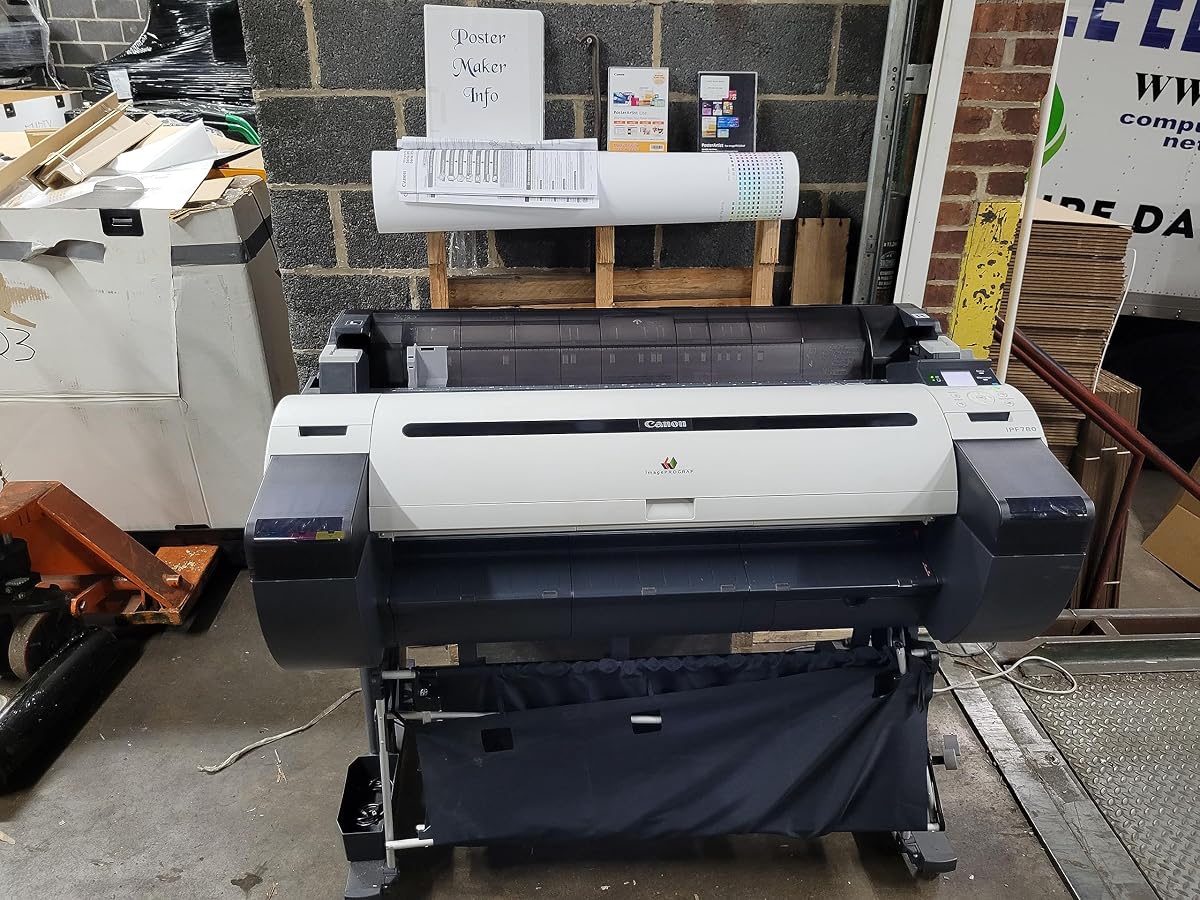
The Canon imagePROGRAF iPF780 is a top tier printer known for exceptional image quality and precision. It holds a strong 4.6 rating which reflects its reliability and performance in demanding environments.
We may earn a commission when you buy through this link, at no additional cost to you.
This model supports 36 inch wide media rolls making it suitable for large architectural plans and detailed maps. It comes with a 1-year onsite warranty to minimize downtime issues for professional users.
Being a Canon Platinum Reseller product it ensures access to premium support and genuine parts. This adds confidence for businesses that depend on consistent output quality for client deliverables.
If you need top notch color accuracy and professional support this printer is an excellent choice. It is designed for users who prioritize quality and reliability over budget constraints.
Canon technology ensures precise color reproduction which is critical for architectural and artistic large format projects.
The Platinum Reseller status means you get priority access to expert help and genuine parts for maintenance.
We may earn a commission when you buy through this link, at no additional cost to you.
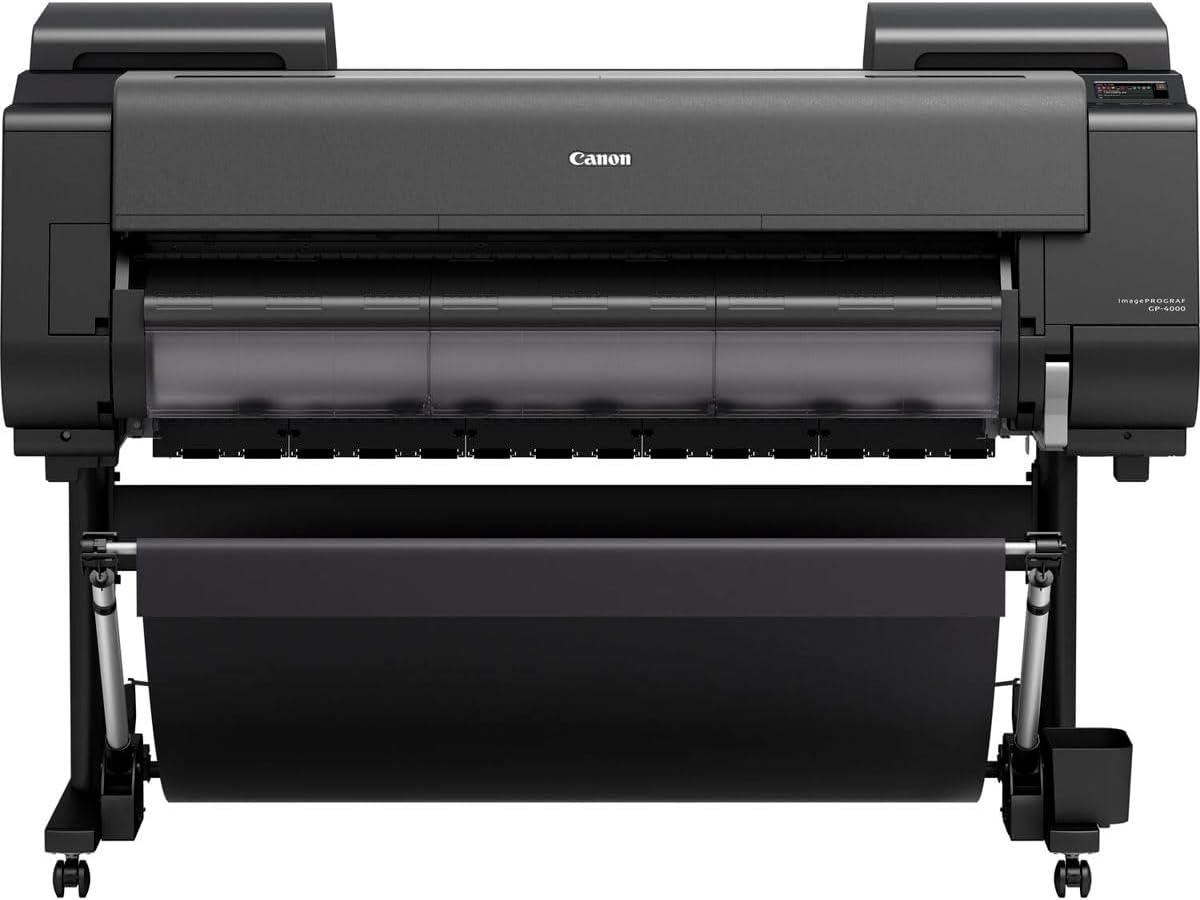
The GP-4000 ImagePROGRAF is a high-end model that achieves a perfect 5.0 rating from users who demand excellence. It represents the peak of large format printing technology for specialized needs.
We may earn a commission when you buy through this link, at no additional cost to you.
It offers high resolution output that ensures fine details are captured accurately on wide media rolls. The Canon Platinum Reseller designation guarantees that you receive genuine products and expert assistance.
While specific specs are not listed in the data the branding suggests enterprise level capabilities. It is built to handle intensive workflows and produce professional results consistently for demanding clients.
If you need a top of the line machine for critical projects this model is worth the investment. It suits businesses where print quality and reliability are non-negotiable for success.
Achieving a perfect rating means this printer delivers consistent high quality results that meet the highest standards.
Buying through a Platinum Reseller ensures you get authentic products and the best possible support experience.
We may earn a commission when you buy through this link, at no additional cost to you.
The Canon imagePROGRAF iPF785 is designed for full color large format printing tasks. It carries a 4.1 rating and is known for producing high quality outputs for professional use.
We may earn a commission when you buy through this link, at no additional cost to you.
With a 1-year onsite warranty and support from a Canon Platinum Reseller you get reliable service and genuine parts. This reduces risks associated with hardware failures during critical project timelines.
Its construction is built to handle the rigors of daily professional use in studios or offices. The focus on color accuracy makes it suitable for posters and renderings requiring vibrant results.
If you need a reliable color printer with strong support backing this model is a great option. It balances performance with service quality for businesses that need consistent results.
Designed for color accuracy it delivers vibrant results that are essential for marketing materials and visual presentations.
Partnering with a Platinum Reseller ensures you get access to specialized support and authorized replacements quickly.
We may earn a commission when you buy through this link, at no additional cost to you.
The Canon imagePROGRAF TM-305 is a 5-color inkjet plotter that specializes in high quality printing. It has a 4.3 rating and is well regarded for its color accuracy and media handling.
We may earn a commission when you buy through this link, at no additional cost to you.
With support for 36 inch wide media it handles large format projects efficiently. The 5-color system provides a wide color gamut which is ideal for detailed technical drawings and artistic prints.
This model is printer only meaning it does not include a scanner function. This focused approach often leads to better print performance and lower complexity for users who only need printing.
If you need a dedicated printing machine with high color fidelity this model is a strong choice. It works well for studios that already have scanning solutions but need excellent print quality.
The 5-color system expands the available color range for richer and more detailed outputs in professional prints.
Being printer only simplifies the workflow and reduces potential maintenance issues associated with multifunction devices.
We may earn a commission when you buy through this link, at no additional cost to you.
Selecting the right large format plotter printer depends on several key factors that match your specific workflow needs.
Consider the maximum width of media your projects require. Most printers handle up to 24 or 36 inches and some support both rolls and sheets. Ensure the printer can manage the thickness and type of material you use regularly.
Check for automatic sheet feeders if you switch between rolls and sheets often to save time and effort.
Look at how many prints per hour the model delivers especially for A1 or D size documents. Faster speeds reduce wait times in busy studios but may cost more upfront.
Balance your budget with how quickly you need to output finished products for your clients or team.
Modern printers should offer Wi-Fi and Gigabit Ethernet for easy network sharing. Mobile printing support allows you to send files directly from smartphones or tablets.
Choose a model that integrates well with your existing office network and file sharing systems.
Software like HP Click helps manage files and reduce waste by checking for errors before printing. It also enables drag and drop functionality for common formats like PDF and JPEG.
Ensure the included software works with your design applications to streamline your workflow.
Evaluate how much ink is used for routine maintenance as some models use significantly less. Long term costs can add up quickly if the printer requires frequent replacements.
Select a model that balances initial price with affordable ink and maintenance needs.
Onsite warranty packs provide peace of mind by ensuring help comes to your location if issues arise. This reduces downtime and keeps your projects on track.
Look for brands that offer accessible support through phone or certified resellers for faster resolution.
Large format printers can be bulky and heavy so measure your workspace before buying. Ensure you have enough room for media handling and ventilation around the device.
If space is limited consider models designed with compact footprints to fit your office layout.
Some models include scanning and copying features which save desk space and simplify workflows. Decide if you need these functions or if a printer only unit suits your needs better.
Multifunction devices are ideal for smaller offices that need all in one solutions for document handling.
Start by loading your media correctly according to the printer's guides. Ensure the rolls or sheets are flat and free of dust before printing to avoid jams and quality issues.
Keep the printer in a temperature controlled environment away from direct sunlight. This helps maintain the stability of the ink and prevents damage to sensitive components inside.
Regularly clean the print heads and cutter blades with recommended cleaning solutions. This simple maintenance step ensures consistent output quality and extends the lifespan of your device.
Large format printers typically handle media wider than 24 inches while wide format usually refers to up to 24 inches. The distinction varies by manufacturer but generally larger widths support bigger architectural and engineering plans.
It is best to clean the print heads at least once a month or after every few thousand prints. Regular cleaning prevents clogs and ensures consistent color accuracy and line quality.
Many modern printers use chips that detect non original ink which may void warranties. Using HP or Canon approved cartridges ensures optimal performance and avoids security features issues.
Vector files like PDF or DWF are ideal because they scale without losing resolution. Raster formats like TIFF or PNG are acceptable for photos but must be high resolution for large output.
Most models work with standard Windows or Mac computers via USB or network connections. However having a machine with sufficient RAM helps process large design files smoothly.
Turn off the printer and remove any stuck media gently. Check for debris in the feed path and reset the rollers before restarting to prevent recurrence.
We reviewed ten top models ranging from budget friendly options to high end professional units. Each pick offers unique strengths for technical drawings posters and architectural plans.
Prioritize speed media handling and warranty support based on your daily workflow needs. The right choice will save time and ensure consistent quality for every project you undertake.
Prices and availability change often so verify the latest details before purchasing to secure the best deals and current support packages for your business.