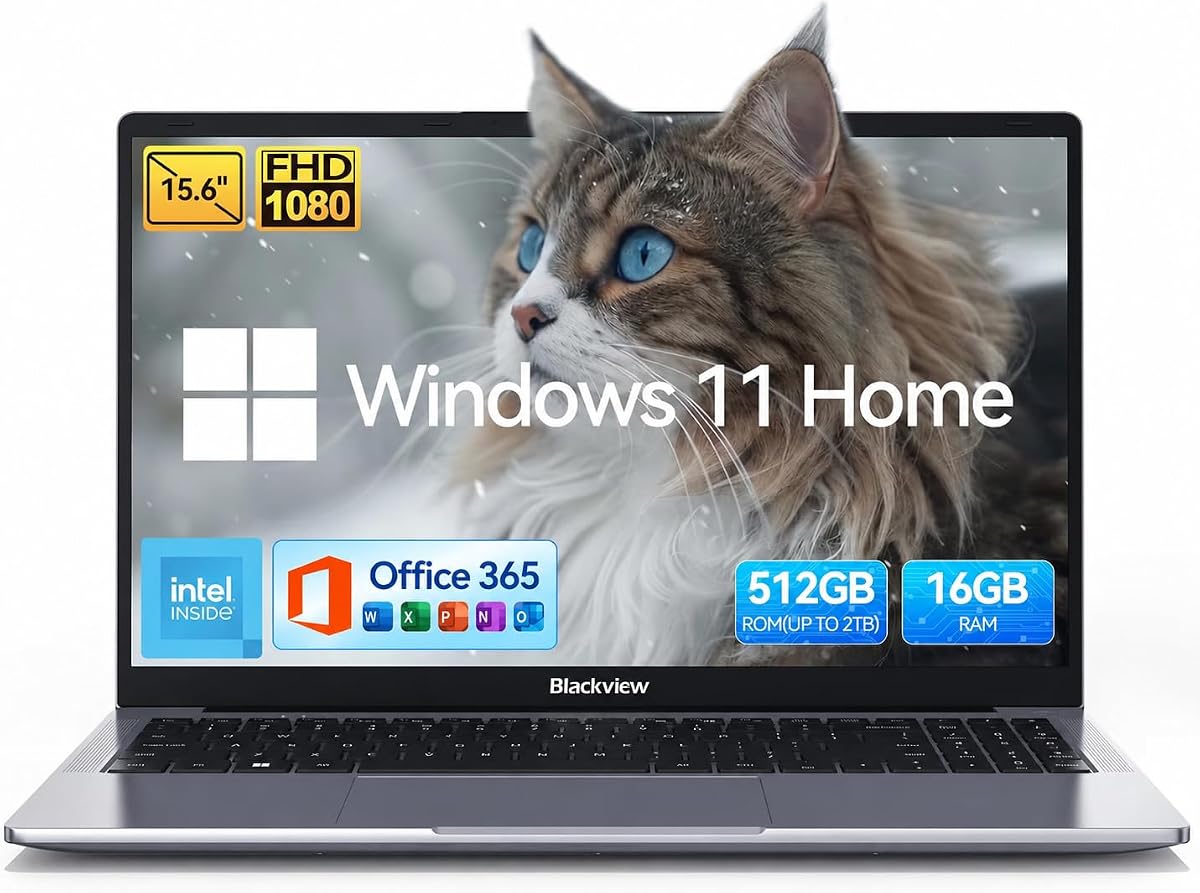
15.6" Student Laptop
4.6Editor score
Triple-Display Productivity
Intel N150 Processor
Affordable Price Point
Finding a laptop with 2 HDMI ports is crucial for professionals needing multiple external displays without adapters. This guide explores top models that support triple-screen workstations for enhanced productivity and efficient workflows across various industries.
We compared ten leading laptops based on connectivity options, display quality, and processing power. Each product was evaluated for its ability to handle multitasking and support external monitors seamlessly for business and academic users.
Each pick shows detailed specs and real user ratings to help you choose the right device. Please note that prices change frequently, so check current listings before purchasing to ensure you get the best deal available today.
4.6Editor score

4.4Editor score

4.2Editor score
As an Amazon Associate we earn from qualifying purchases.
This side-by-side comparison highlights key specifications across all ten selected laptops. Evaluate each device on screen size, processor speed, memory capacity, and port availability to determine the best fit for your specific workstation requirements.


This Dell Inspiron model is a top contender for users requiring multiple monitor support. It delivers robust performance and a spacious display ideal for multitasking.
We may earn a commission when you buy through this link, at no additional cost to you.
The 2.5K resolution screen offers excellent clarity for detailed work. Integrated hardware reduces blue light during extended sessions ensuring eye comfort.
While it includes solid specs the lack of dedicated graphics may limit heavy gaming. Still it is reliable for productivity and business tasks.
Buyers seeking reliable connectivity and display quality should consider this option. It balances performance and usability effectively for professional environments.
The 16:10 aspect ratio provides more vertical space for documents and code editing.
Military-grade testing ensures reliability while onsite service simplifies repairs when needed.
We may earn a commission when you buy through this link, at no additional cost to you.
This HP model stands out with exceptional memory and storage capacity. It supports heavy multitasking and large file operations without slowing down.
We may earn a commission when you buy through this link, at no additional cost to you.
The 17.3-inch touchscreen enhances interaction and presentation capabilities. It is ideal for users who need touch input alongside traditional keyboards.
Resolution may not be full HD which could limit sharpness. Weight also makes it less portable for travel or commuting.
Best for stationary workstations needing high performance and storage. It is suited for data analysis and media editing tasks.
64GB RAM ensures smooth operation of dozens of browser tabs and heavy software.
Touch input allows intuitive navigation and presentation control on a large display.
We may earn a commission when you buy through this link, at no additional cost to you.
This HP laptop offers strong performance for business and students alike. The combination of high RAM and fast storage handles daily tasks efficiently.
We may earn a commission when you buy through this link, at no additional cost to you.
The FHD IPS touchscreen provides vibrant visuals and touch response. It supports presentations and creative work effectively with accurate colors.
Though DDR4 RAM is sufficient for most tasks DDR5 would be faster. Dedicated graphics are absent which limits demanding gaming needs.
It is a solid pick for office and academic workflows. Users value its speed and display quality for productive sessions.
Precise touch control enhances productivity for navigation and creative input.
Copilot AI assistant optimizes workflow and simplifies complex operation steps.
We may earn a commission when you buy through this link, at no additional cost to you.
This budget laptop offers exceptional value with triple display support. It enables a multi-monitor workspace without requiring expensive docking stations.
We may earn a commission when you buy through this link, at no additional cost to you.
The Intel N150 processor handles basic tasks well. Combined with ample RAM it manages multiple tabs and documents smoothly.
Performance may lag with heavy workloads or video rendering. Battery life is average meaning frequent charging may be needed.
It is ideal for students or home users needing screen space. The price point makes it accessible for tight budgets.
Connect up to two external monitors via USB-C and HDMI for extended workspace.
High functionality at a low price makes it perfect for entry-level setups.
We may earn a commission when you buy through this link, at no additional cost to you.
This Inspiron business laptop focuses on reliability and enterprise features. It supports professional workflows with ample memory and secure OS.
We may earn a commission when you buy through this link, at no additional cost to you.
The touchscreen adds flexibility for document review and navigation. Enterprise tools streamline management and security for corporate use.
While functional the design may not appeal to creative pros. It lacks modern aesthetics compared to consumer models.
Buyers prioritizing security and performance will appreciate this device. It suits business users needing stable computing power.
Enterprise State Roaming and Device Management enable centralized control.
2TB SSD ensures instant boot times and ample room for large files.
We may earn a commission when you buy through this link, at no additional cost to you.
This HP laptop combines efficiency with security features. It delivers solid performance for everyday tasks and video calls.
We may earn a commission when you buy through this link, at no additional cost to you.
The privacy shutter and mic mute key enhance security during meetings. Users appreciate control over their data visibility and audio.
Memory is sufficient for current needs but DDR5 might be preferred soon. Port selection is basic requiring dongles for extra screens.
It is a great choice for professionals needing portability. The balance of power and design fits remote work.
Built-in privacy controls keep sensitive video and audio secure during calls.
Optimized components allow for long battery life without sacrificing speed.
We may earn a commission when you buy through this link, at no additional cost to you.
This Dell Pro model offers DDR5 memory for fast multitasking. It supports fluid operations in a portable and durable chassis.
We may earn a commission when you buy through this link, at no additional cost to you.
The 120Hz refresh rate provides smooth scrolling and animations. SD card slots simplify media transfers for photographers and creatives.
Storage is limited so external drives may be needed. Graphics are adequate for display but not demanding 3D work.
It suits users prioritizing speed and portability. The modern specs provide good longevity for daily computing.
Next-gen memory delivers faster data processing for efficient workflow.
120Hz refresh rate ensures smoother visuals for daily tasks.
We may earn a commission when you buy through this link, at no additional cost to you.
This Lenovo laptop emphasizes security and stable connectivity. It includes TPM and Ethernet for secure corporate environments.
We may earn a commission when you buy through this link, at no additional cost to you.
Privacy controls like webcam shutter protect user data effectively. Military specs ensure durability in varied physical conditions.
Processor speed is moderate limiting heavy multitasking. Upgrades are limited so initial config should match needs.
Best for IT environments needing security compliance. It offers reliable performance for secure daily tasks.
TPM 2.0 encrypts critical data and protects against cyber threats.
RJ-45 port ensures stable network connection for secure data transfers.
We may earn a commission when you buy through this link, at no additional cost to you.
This V-Series model offers high RAM for complex workflows. It supports business applications and data tasks smoothly.
We may earn a commission when you buy through this link, at no additional cost to you.
The numeric keypad is essential for accounting and data entry. It provides ergonomic convenience for frequent number crunching.
Design may look older than newer models but functions well. Graphics are integrated which limits creative 3D rendering.
It is a practical choice for data-heavy roles. Users prioritize utility over modern aesthetics here.
Numeric keypad and Windows 11 Pro streamline accounting and management.
40GB RAM handles complex apps and large datasets efficiently.
We may earn a commission when you buy through this link, at no additional cost to you.
This Essential laptop offers basic computing with DDR5 memory. It is ideal for simple tasks and web browsing.
We may earn a commission when you buy through this link, at no additional cost to you.
The low price makes it accessible for entry users. MIL-STD testing ensures reliability for portable usage.
Storage and RAM are minimal requiring external solutions. Cloud storage or USB drives will be necessary.
It suits users needing a secondary or backup device. The design is functional and easy to carry.
Next-gen memory improves speed even on entry-level configurations.
Built-in privacy shutter keeps webcam secure when not in use.
We may earn a commission when you buy through this link, at no additional cost to you.
Selecting the right laptop requires understanding key factors like processor speed and connectivity options.
Look for screens between 15 and 17 inches for a balance of portability and workspace. Larger screens support better multi-window workflows.
Prioritize high resolution and IPS panels for color accuracy and viewing angles.
Choose a modern i7 or Ryzen 7 processor for smooth multitasking. These handle multiple browser tabs and heavy applications well.
Ensure the CPU has enough cores to support external monitors without lag.
Aim for at least 16GB of RAM to run multiple programs simultaneously. Higher memory prevents slowdowns during intensive work.
Consider 32GB or more if you frequently use virtual machines or large datasets.
SSD storage is essential for fast boot times and file access. Aim for 512GB or 1TB to store large projects locally.
NVMe SSDs provide faster read/write speeds than SATA options for better performance.
Verify the presence of multiple HDMI or USB-C ports with DisplayPort support. This allows direct connection to two monitors without adapters.
Ensure Ethernet and USB-A ports are available for peripheral and network compatibility.
Select models offering 6 hours or more for mobility. Battery drain increases with multiple external displays connected.
Check if the laptop supports charging while in use for extended sessions.
Look for TPM chips and webcam shutters to protect sensitive data. These features are standard in business-class laptops.
Windows 11 Pro offers better management tools for enterprise environments.
Set a budget based on needs like processing power and screen size. Entry models are affordable but may lack ports.
Invest in a model that balances cost with essential connectivity features.
Connect your external monitors using the HDMI ports on the side of your laptop. Ensure cables are securely plugged in for a stable signal.
Adjust display settings in Windows to extend or duplicate screens as needed. Use the system menu to manage resolution and arrangement.
Keep vents clear and avoid using the laptop on soft surfaces to prevent overheating. Regular updates maintain system speed and security.
No, one HDMI port supports only one external monitor. You need multiple HDMI ports or a USB-C to HDMI adapter to connect more screens. Check your laptop specs for available outputs.
Most modern laptops support 1080p on two monitors. Higher resolutions may require specific graphics cards or ports like DisplayPort. Check your device capabilities.
Ensure the HDMI cable is connected correctly. Press the Fn key with the display toggle key to activate the second screen. Check settings for extended mode.
Yes, HDMI carries both video and audio. Connect external speakers or a monitor with audio output through the same cable.
Lower brightness and close unused apps to save power. Avoid charging while using external displays to reduce battery drain during sessions.
Many newer laptops use USB-C for video. Ensure your model has dedicated HDMI ports or adapters. Check specs for HDMI 2.0 support.
No, Windows 11 Home supports multiple monitors. However, Pro offers better enterprise management features for business users.
Use a docking station or USB hub that supports multiple displays. These extend your laptop's connectivity without changing the hardware.
This guide highlights ten laptops that excel in multi-monitor support and performance. The Dell Inspiron 16 Plus offers the best balance of quality.
Prioritize processing power and memory if you handle complex tasks. Connectivity options should match your external display setup needs.
Remember to check current prices and specs before buying. Models change frequently and deals may vary by retailer.