
Acer Nitro KG271U N3bmiipx
4.5Editor score
180Hz Refresh Rate
0.5ms Response Time
95% DCI-P3 Color
Finding the right display for your gaming setup requires balancing performance and visual fidelity. A 27 Inch WQHD 1440p Gaming Monitor offers the perfect sweet spot for modern titles, delivering crisp details without overwhelming your graphics card. These screens provide ample screen real estate for immersive gameplay while maintaining high refresh rates essential for competitive shooting.
We evaluated ten leading models based on panel technology, refresh rates, and color reproduction capabilities. Each candidate was scrutinized for features like adaptive sync, response times, and ergonomic adjustments. Our analysis focuses on real-world gaming performance, ensuring that the selected monitors meet the demands of both casual and professional players in a rigorous comparison.
Every pick highlights unique strengths, from budget-friendly options to premium displays with advanced HDR support. We examine how each screen handles motion clarity and color accuracy across various game genres. Please note that market conditions fluctuate, so checking current availability and pricing is always recommended before finalizing your purchase decision today.
4.5Editor score

4.6Editor score

4.6Editor score
As an Amazon Associate we earn from qualifying purchases.
The following table provides a side-by-side overview of the key specifications for each model. This allows you to quickly compare refresh rates, panel types, and specific technologies to determine which monitor aligns best with your specific gaming needs and hardware configuration.


The ASUS TUF Gaming VG27AQ3A stands out as a top contender for gamers seeking a balance between performance and visual fidelity. With a solid 4.6 rating, this monitor delivers a high-resolution QHD experience that enhances detail in modern titles. Its 180Hz refresh rate ensures smooth motion, making it suitable for both competitive shooters and immersive single-player games.
We may earn a commission when you buy through this link, at no additional cost to you.
Key strengths include the Fast IPS panel which provides wide viewing angles and superior color accuracy compared to standard VA panels. The ELMB Sync technology allows for simultaneous variable refresh rate and motion blur reduction, eliminating ghosting without sacrificing smoothness. Additionally, the inclusion of built-in speakers adds convenience for casual gaming sessions without needing external audio hardware.
While the monitor performs exceptionally well, the stand offers limited ergonomic adjustments compared to higher-end models. Users looking for full pivot or significant height adjustment might find the range slightly restrictive. However, the VESA mounting compatibility allows for easy upgrade to third-party arms if needed. The lack of a USB hub is another minor omission in a modern gaming setup.
This monitor is ideal for gamers who want reliable performance without compromising on color quality. The inclusion of a free Adobe Creative Cloud subscription adds significant value for creators who also game. If you prioritize visual sharpness and fluid motion, the ASUS TUF Gaming VG27AQ3A is a highly recommended choice for your desk setup.
The Fast IPS panel delivers 130% sRGB coverage, ensuring vibrant and accurate colors across the screen for realistic visuals.
ELMB Sync enables motion blur reduction while maintaining variable refresh rates, providing the best of both worlds for clarity.
We may earn a commission when you buy through this link, at no additional cost to you.
The Acer Nitro KG271U offers an incredible value proposition for gamers on a budget. With a 4.5 rating, it proves that you do not need to spend a fortune to get a high-quality QHD experience. The monitor is praised for its ability to render detailed images and fast motion, making it a strong candidate for entry-level competitive gaming.
We may earn a commission when you buy through this link, at no additional cost to you.
Its standout feature is the 0.5ms GTG response time, which is exceptionally fast for an IPS panel. This reduces motion blur and ghosting effectively, ensuring that fast-paced action remains clear. The support for 180Hz refresh rates further enhances the smoothness of gameplay. Additionally, the DCI-P3 95% color coverage ensures that colors remain vibrant and true to life.
However, the ergonomic features are somewhat basic, with limited adjustment options for height and tilt. Users may need to rely on VESA mounting for better positioning. The port selection is also minimal, which might restrict connectivity options for those with multiple devices. Despite these drawbacks, the performance-to-price ratio remains hard to beat.
For gamers looking to upgrade from 1080p without breaking the bank, this monitor is an excellent choice. The combination of speed and color quality makes it versatile for both gaming and creative tasks. If you prioritize raw performance and visual quality over extensive stand features, the Acer Nitro KG271U is a solid investment.
With a 0.5ms response time, this monitor minimizes input lag and ghosting for competitive edge in shooters.
The thin bezels free up screen space and provide a modern aesthetic that fits well in any gaming setup.
We may earn a commission when you buy through this link, at no additional cost to you.
The ASUS TUF Gaming VG27AQL1A represents the premium end of our list, offering features tailored for professionals and serious enthusiasts. It holds a 4.6 rating, reflecting its consistent performance and reliability. This monitor is designed for those who demand the best possible visual fidelity and motion clarity in their gaming sessions.
We may earn a commission when you buy through this link, at no additional cost to you.
One of its most significant advantages is the ELMB Sync technology, which works alongside G-SYNC to eliminate ghosting and tearing simultaneously. This ensures sharp visuals even at high frame rates. The HDR400 certification enhances brightness and contrast, making dark scenes more visible and highlights more impactful. The 130% sRGB coverage ensures accurate color reproduction for content creation.
While the performance is top-tier, the price point is higher than other options on this list. Additionally, achieving the maximum 170Hz refresh rate requires overclocking the panel via the OSD menu, which may not be ideal for all users. The physical build is robust, but the stand lacks some of the advanced ergonomics found in more expensive displays.
This monitor is best suited for users who want a near-perfect balance between gaming and professional work. The inclusion of an Adobe Creative Cloud subscription adds further value for designers. If you are willing to invest in high-end hardware for superior clarity and features, the ASUS TUF Gaming VG27AQL1A is a top recommendation.
ELMB Sync combines motion blur reduction with variable refresh rate technology for the ultimate visual experience.
With 130% sRGB coverage, the display is suitable for photo editing and video production tasks.
We may earn a commission when you buy through this link, at no additional cost to you.
The Acer Nitro XV271U is a strong competitor that focuses on ergonomics alongside performance. With a 4.5 rating, it appeals to users who need to adjust their screen for comfort during long sessions. The monitor delivers a 1440p experience with a robust 180Hz refresh rate for fluid motion in gaming.
We may earn a commission when you buy through this link, at no additional cost to you.
Its standout feature is the comprehensive stand design, which supports height adjustment, tilt, swivel, and pivot. This flexibility is rare in monitors at this price point and helps reduce neck strain. The IPS panel ensures consistent colors across viewing angles. Connectivity options are good, including dual HDMI ports and DisplayPort for versatile setup configurations.
Despite the ergonomic benefits, the stand itself can feel slightly less sturdy compared to premium brands. Users might find some wobble when typing aggressively. The color gamut specifications are not as prominently marketed as other models, which might matter to professionals. However, for general gaming and use, the visual quality remains solid.
This model is perfect for users who value physical adjustability over advanced color metrics. If you spend hours gaming or working, the ergonomic stand is a significant advantage. The combination of speed, flexibility, and value makes the Acer Nitro XV271U a practical choice for many setups.
The stand allows for height, pivot, and swivel adjustments to fit various desk and posture needs.
Multiple HDMI ports allow you to connect a console and PC simultaneously without constant swapping.
We may earn a commission when you buy through this link, at no additional cost to you.
The Samsung 27 Odyssey G5 brings a unique curved experience to 27-inch gaming. Boasting a 4.7 rating, it is highly regarded by users for its immersive feel. The 1500R curvature wraps around your field of view, making games feel more engaging. It supports 180Hz refresh rates for smooth gameplay without stutter.
We may earn a commission when you buy through this link, at no additional cost to you.
Key features include HDR10 support which enhances brightness and shadow detail significantly. The Black Equalizer technology helps in dark games by brightening shadows without washing out the image, helping spot enemies in the dark. The 1ms response time ensures quick reactions. The design is sleek and fits well in a modern gaming room.
However, the curved screen may not be ideal for productivity tasks where straight lines are important. Some users report minor stand instability or wobble on uneven surfaces. The stand also has limited height adjustment, which might require VESA mounting for better positioning. Despite these issues, the visual experience is a major selling point.
If you want a monitor that feels immersive and dynamic, the Samsung Odyssey G5 is a great choice. It is particularly well-suited for single-player adventures and racing games. The high user rating reflects its popularity and satisfaction. For those seeking a unique visual edge, this curved monitor is worth considering.
The tight curve matches the natural curvature of the human eye for a more immersive experience.
Adjusts brightness in dark areas to reveal hidden details without affecting overall exposure.
We may earn a commission when you buy through this link, at no additional cost to you.
The SANSUI 27 Inch WQHD offers an impressive refresh rate for its price range. With a 4.4 rating, it provides a smooth gaming experience with up to 200Hz. This is a significant boost for competitive shooters where every frame counts. The monitor supports HDR and includes eye care technologies to reduce strain during long sessions.
We may earn a commission when you buy through this link, at no additional cost to you.
It features a robust metal stand that offers stability without compromising on cost. The connectivity options are good, with two DisplayPort and two HDMI ports to connect multiple devices. The 120% sRGB color gamut ensures decent color vibrancy for an entry-level IPS monitor. It is a practical choice for budget-conscious gamers.
The menu system for adjusting settings is basic and may take some getting used to. The stand does not offer significant height adjustment, which can be limiting for some desk setups. Despite these minor issues, the raw performance and value for money are compelling. The 30-day replacement warranty adds peace of mind.
This monitor is best for gamers on a tight budget who do not want to sacrifice refresh rate. It delivers on speed and basic visual quality. If you prioritize raw numbers and price over build quality, the SANSUI 27 Inch WQHD is a smart option.
Achieving 200Hz allows for incredibly smooth motion, reducing blur and improving reaction time.
The metal stand provides better stability and a more premium feel compared to plastic alternatives.
We may earn a commission when you buy through this link, at no additional cost to you.
The SANSUI Gaming 27 Inch distinguishes itself with a versatile stand that supports pivot, swivel, and height adjustment. With a 4.4 rating, it offers a feature set usually found on more expensive displays. The 200Hz refresh rate ensures smooth motion for competitive gaming, making it a strong contender in the budget segment.
We may earn a commission when you buy through this link, at no additional cost to you.
It features a Fast IPS panel that supports 10-bit color and 95% DCI-P3 coverage. This results in rich, vibrant colors that enhance gaming visuals. The stand includes height adjustment, which helps in maintaining good posture. Connectivity includes multiple DisplayPort and HDMI ports to support various setups.
Some users may experience variance in panel quality, as is common with budget brands. Firmware updates might be needed to maximize performance. The OSD buttons can be tricky to use initially. However, for the price, the combination of ergonomics and performance is hard to beat.
This monitor is ideal for users who need ergonomic flexibility without a high price tag. It fits well in setups requiring vertical screens or dual monitors. If you value adjustability and speed, the SANSUI Gaming 27 Inch is a worthy choice.
The stand allows for full rotation and height adjustment to suit various working angles.
Supporting 10-bit color ensures smoother gradients and more detailed shading in games.
We may earn a commission when you buy through this link, at no additional cost to you.
The KOORUI 27 Inch 1440p offers a compelling mix of speed and HDR capabilities. It boasts a 200Hz refresh rate which is excellent for competitive gaming. The HDR400 certification adds a layer of visual depth to supported content. The design is sleek and minimalist, fitting well in modern rooms.
We may earn a commission when you buy through this link, at no additional cost to you.
Its Fast IPS panel ensures quick response times and wide viewing angles. The monitor is well-built for its price point, with durable materials used in the construction. The stand allows for tilt adjustments, providing basic ergonomics. Support and warranty services are reliable, offering peace of mind to buyers.
The stand is not as versatile as others, lacking height adjustment. Connectivity options are standard, so check your hardware needs before buying. Despite these limitations, the visual performance is strong. It stands out for offering HDR at this price range.
This monitor is great for gamers who want a sleek look and good HDR performance without paying extra. It is a practical option for a secondary setup or a main rig. If aesthetics and speed are priorities, the KOORUI 27 Inch is a good pick.
HDR400 ensures better dynamic range, making bright and dark scenes more visible.
The slim bezels and simple design make this monitor visually unobtrusive on any desk.
We may earn a commission when you buy through this link, at no additional cost to you.
The Acer Nitro EDA270U combines a curved screen with budget-friendly pricing. It features a 180Hz refresh rate for smooth gameplay. The curved design helps in immersive experiences, reducing peripheral distractions. The zero-frame design looks modern and allows for easy multi-monitor setups.
We may earn a commission when you buy through this link, at no additional cost to you.
It includes built-in speakers which are convenient for basic audio without extra hardware. The 1500R curve adds a dynamic feel to games. The stand is simple but functional. The monitor also supports AMD FreeSync Premium to prevent screen tearing. Overall, it is a solid option for entry-level gamers.
The audio quality from the speakers is basic and not suitable for critical listening. Ergonomics are limited, as the stand does not offer much height adjustment. Some users may prefer a flat panel for productivity. Despite these drawbacks, the price and features offer good value.
This monitor suits those who want a curved screen without breaking the bank. It is suitable for immersive gaming and casual use. If you prioritize a cinematic feel and value, the Acer Nitro EDA270U is a smart buy.
The curve matches your natural field of view for deeper immersion in games and movies.
Minimal bezels provide a clean look and easier alignment for multi-monitor setups.
We may earn a commission when you buy through this link, at no additional cost to you.
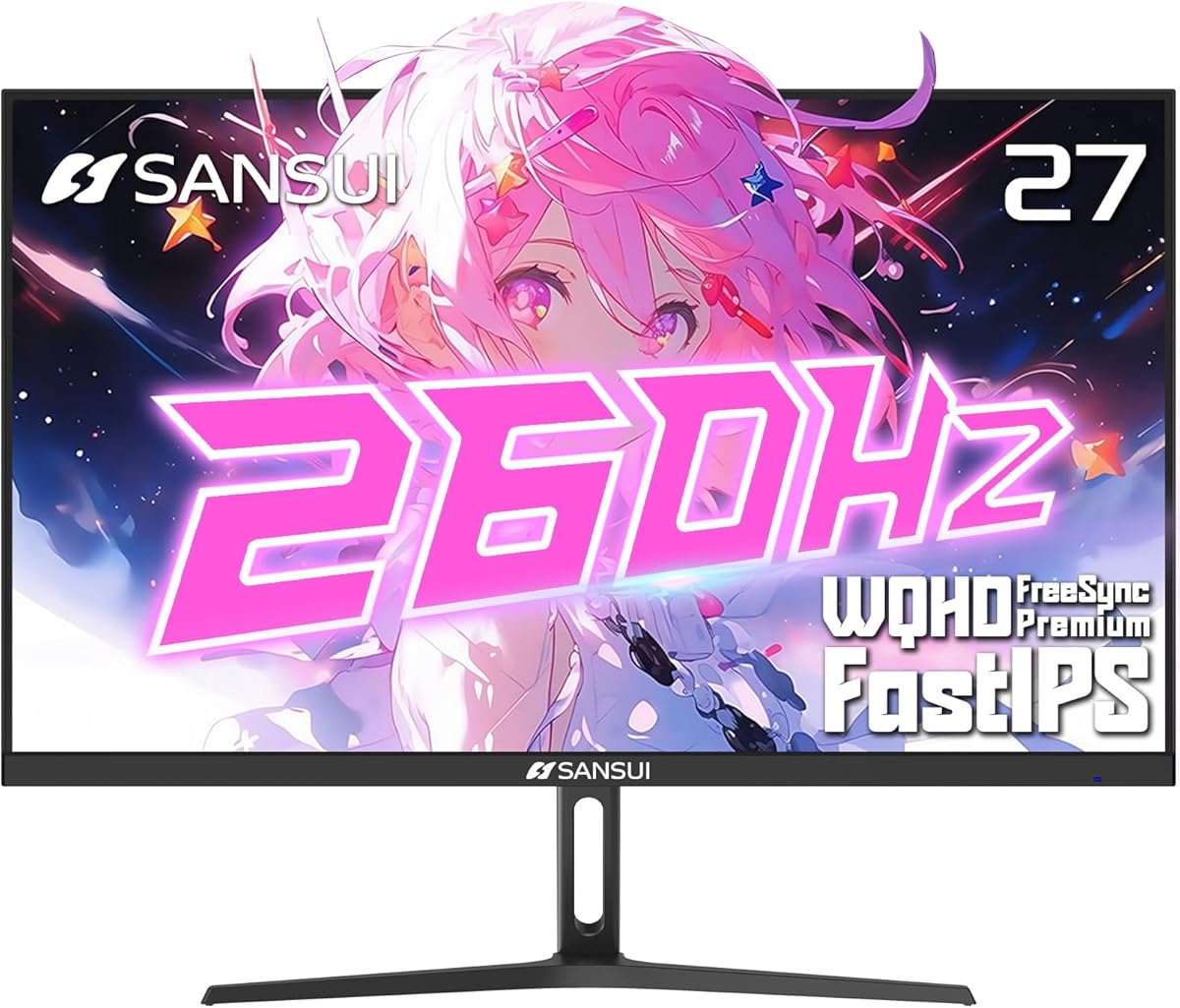
The SANSUI Gaming 27 260Hz pushes the boundaries of refresh rates in this category. It claims up to 260Hz, which is excellent for competitive shooters. The Fast IPS panel ensures fast response times. Color coverage is high, with 98% DCI-P3. This makes it a versatile choice for both gaming and design.
We may earn a commission when you buy through this link, at no additional cost to you.
It includes game assistant tools like a crosshair overlay, which can be helpful for FPS games. The FreeSync Premium support ensures tear-free visuals. The connectivity options are generous, with DP 1.4 ports to support high rates. It offers a lot of features for the price.
Users must use specific cables to achieve the 260Hz rate, as standard cables may fail. The stand does not have height adjustment, which is a drawback for ergonomics. However, for those who prioritize refresh rate above all else, this monitor is unique. It is a great pick for serious competitors.
This model is best for competitive gamers who need maximum smoothness. If your setup can support the required bandwidth, the speed is unmatched in this list. For pure performance seekers, the SANSUI 260Hz is a standout choice.
Achieving 260Hz reduces motion blur significantly for competitive advantage in shooters.
Built-in overlays like crosshairs help in targeting and aiming in fast-paced games.
We may earn a commission when you buy through this link, at no additional cost to you.
Selecting the right monitor involves understanding key technical specs and how they affect your gaming experience. We break down the critical factors you should consider before making a purchase.
Refresh rate refers to how many times the screen updates per second, measured in Hertz (Hz). For competitive gaming, higher rates like 144Hz, 180Hz, or 200Hz provide smoother motion and faster response. Standard monitors might only offer 60Hz which can feel sluggish in fast-paced games.
Aim for at least 144Hz for a noticeable improvement in smoothness over standard displays.
IPS panels offer the best color accuracy and viewing angles, making them great for gaming and content creation. VA panels provide better contrast and deeper blacks but can suffer from motion blur. TN panels are fastest but lack color quality.
For most users, an IPS panel offers the best balance of color and speed.
Adaptive sync like AMD FreeSync or NVIDIA G-SYNC syncs the monitor's refresh rate with your graphics card. This eliminates screen tearing and stuttering during gameplay. It ensures that the image displayed matches what your GPU is rendering in real time.
Ensure your GPU supports the specific sync technology before choosing a monitor.
Response time is how quickly a pixel changes from one color to another. Lower times like 1ms are crucial for fast-paced games to prevent ghosting and blur. Slower response times can lead to a muddy image during rapid movement.
Look for a response time of 1ms GTG or lower for optimal gaming clarity.
A monitor with a stand that allows height, tilt, and pivot adjustments helps maintain good posture. Fixed stands can cause strain during long sessions. VESA mounting allows you to use a third-party arm for flexibility.
Choose a model with height adjustment if you plan to game for extended periods.
Check that the monitor has the necessary ports like HDMI and DisplayPort to connect your devices. Newer versions like HDMI 2.1 or DP 1.4 support higher resolutions and refresh rates. Ensure you have the right cables to unlock full performance.
Verify that your GPU and monitor support the same HDMI or DisplayPort version.
Color gamut coverage determines how many colors the screen can display. SRGB is standard, but wider gamuts like DCI-P3 provide richer and more accurate colors. This is important if you also do photo editing or watch media.
Look for monitors with high sRGB and DCI-P3 percentages for vibrant visuals.
HDR (High Dynamic Range) allows for greater contrast and detail in light and dark areas. Monitors with HDR400 or higher certification offer better brightness and shadow visibility. However, effective HDR requires high brightness levels.
Prioritize monitors with verified HDR ratings if you plan to watch HDR content.
Clean the screen regularly with a soft microfiber cloth to remove dust and smudges. Avoid using harsh chemicals or abrasive materials that could damage the coating. Keep the monitor away from direct sunlight to prevent glare and overheating.
Adjust your monitor settings to match your environment. Use built-in presets for gaming to optimize motion blur and color. Calibrate brightness and contrast to reduce eye strain during long sessions.
Ensure your cables are properly connected to support the maximum refresh rate. Use high-quality DisplayPort or HDMI cables to avoid signal loss. Regularly update your GPU drivers to maintain compatibility with new features.
Yes, a 27-inch WQHD monitor provides a perfect balance of screen real estate and pixel density for most gamers. It offers sharper images than 1080p without requiring as much graphics power as 4K. The higher resolution allows for better visibility of in-game details.
Running games at 1440p requires more GPU power than 1080p. You should aim for a mid-range to high-end graphics card to achieve high frame rates at this resolution. However, lower settings can still provide smooth play on budget cards.
FreeSync is an AMD technology that is typically cheaper and more widely supported. G-SYNC is NVIDIA's proprietary technology that often includes better hardware modules but costs more. Many modern monitors support both to ensure broad compatibility.
Absolutely. The extra resolution provides more screen space for multitasking and productivity. It is great for spreadsheets, coding, and design work. The higher pixel density makes text look sharper and easier to read.
For competitive gaming, a refresh rate of at least 144Hz is recommended. Higher rates like 180Hz or 240Hz provide smoother motion but require more powerful hardware. Standard games may not notice the difference above 144Hz.
Screen tearing occurs when your graphics card and monitor are not in sync. Enable adaptive sync technologies like FreeSync or G-SYNC in your monitor settings and GPU control panel. This ensures the screen refreshes only when a full frame is ready.
We have reviewed ten exceptional 27 Inch WQHD 1440p Gaming Monitors, each offering unique strengths for different needs. Whether you seek the speed of the SANSUI 260Hz model or the reliability of the ASUS TUF VG27AQ3A, there is an option here for every gamer.
Prioritize your main needs such as refresh rate, ergonomic adjustments, or color accuracy when deciding. If you value immersion, a curved model like the Samsung Odyssey G5 is worth considering. For general use, an IPS panel provides the best color and viewing angles.
Please check current prices and availability before purchasing as they may change frequently. We hope this guide helps you find the perfect display to elevate your gaming setup.