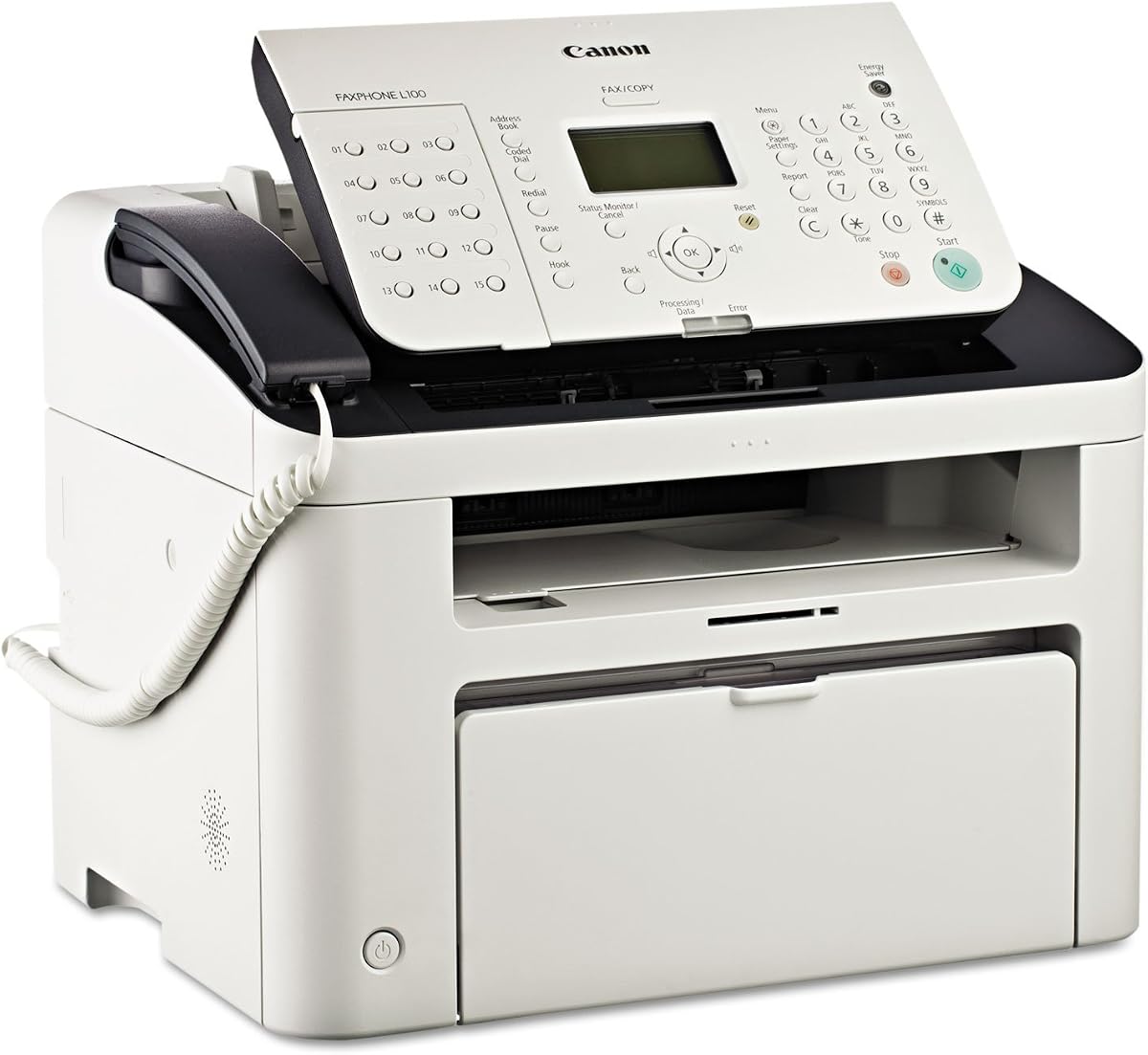
Canon FAXPHONE L100
4.1Editor score
Fast 19 ppm print speed
512 sheets memory capacity
Includes telephone handset
Finding the right fax machine with phone can streamline your office workflow and ensure reliable communication. These devices combine printing, copying, and faxing capabilities with integrated telephony features for seamless operation.
We analyzed ten highly rated models based on performance, usability, and customer feedback. Our comparison covers laser and thermal options, focusing on speed, memory capacity, and ease of use for various business needs.
Each pick highlights key strengths and potential trade-offs to help you make an informed decision. Keep in mind that product availability and pricing may fluctuate over time, so verify details before purchasing.
4.1Editor score
4.2Editor score

4.4Editor score
As an Amazon Associate we earn from qualifying purchases.
The following table provides a side-by-side overview of all ten selected models. Compare their key specifications to determine which fits your specific office requirements and budget constraints.


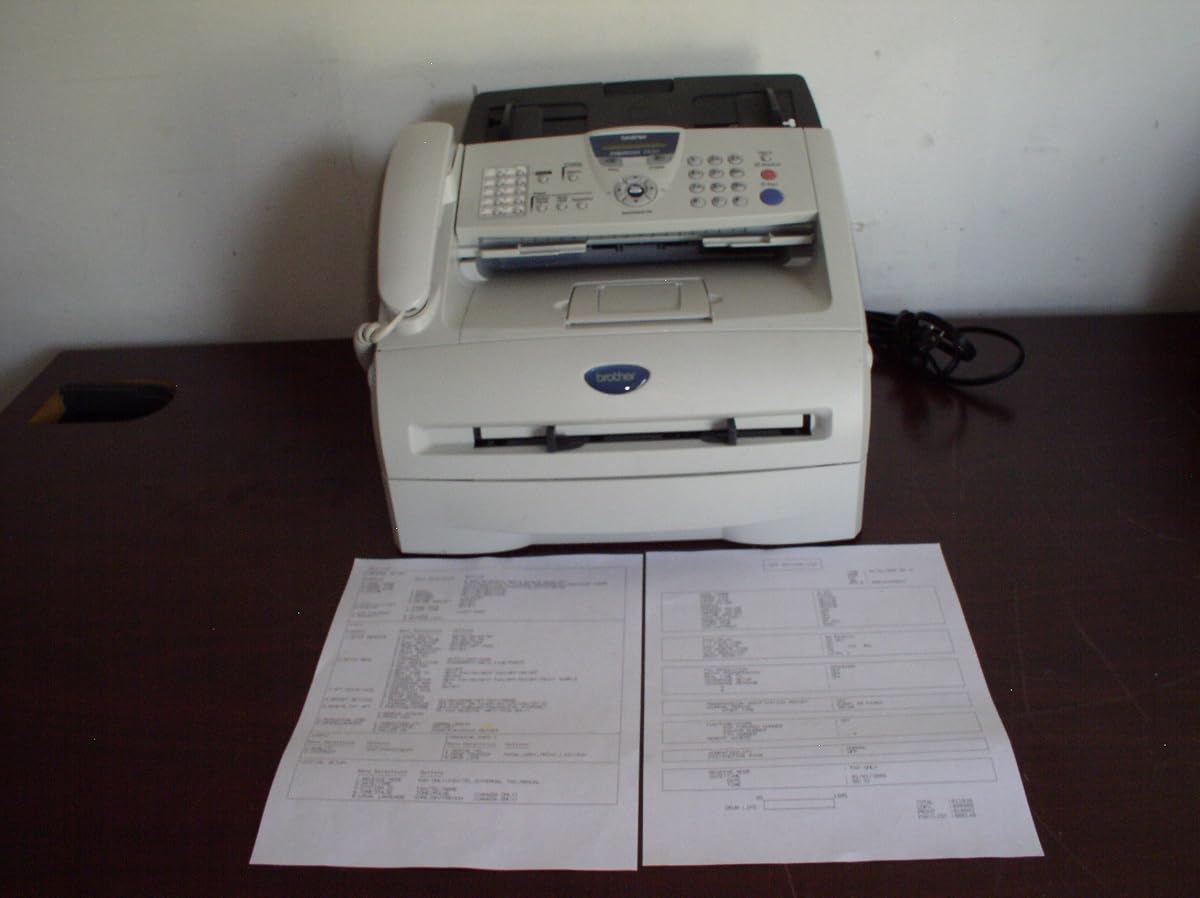
The Brother IntelliFax 2820 stands out as a reliable workhorse for small offices needing consistent fax and copy performance. With a strong 4.2 rating from verified buyers, it delivers sharp monochrome laser output and includes a 20-page auto document feeder for bulk tasks.
We may earn a commission when you buy through this link, at no additional cost to you.
Its 8 MB memory capacity allows you to store up to 500 pages, which is crucial for busy environments where incoming faxes arrive during peak times. The 14.4 Kbps modem ensures reasonable transmission speeds, while the USB 2.0 interface supports future printing needs without extra hardware.
While it lacks modern network connectivity, the wired USB connection remains stable and simple for setups where advanced sharing isn't required. The main trade-off is the monochrome limitation, but for business documents, color is rarely necessary for faxing tasks.
This model is ideal for users prioritizing durability and memory capacity over high-tech features. If you need a straightforward fax machine with phone capabilities that won't break down under daily use, this is a top recommendation.
Store up to 500 pages in memory to avoid missing faxes during busy periods.
Enjoy crisp monochrome laser prints that remain clear even after multiple copies.
We may earn a commission when you buy through this link, at no additional cost to you.
The Brother PPF4750E IntelliFax 4750e earns its premium badge with a 4.4 rating and top-tier performance features. Designed for high-volume business environments, it combines Super G3 fax capabilities with laser printing technology for reliable and professional results.
We may earn a commission when you buy through this link, at no additional cost to you.
Copying speeds reach up to 15 pages per minute, which significantly reduces wait times for multi-page documents. The business-class construction ensures it can handle constant daily use without the wear and tear common in consumer-grade models.
Although it costs more upfront, the efficiency gains and durability justify the expense for growing businesses. The main limitation is the lack of color printing, but for standard business correspondence, this is often an acceptable compromise for speed.
Choose this model if you need a heavy-duty fax machine with phone functions that can manage a busy workflow. It offers a balance of speed, quality, and reliability that makes it a standout choice for professional settings.
Built to withstand constant daily use in high-demand office environments.
Copy documents quickly with up to 15 pages per minute capability.
We may earn a commission when you buy through this link, at no additional cost to you.
The Canon FAXPHONE L100 offers excellent value for home offices and small businesses seeking a budget-friendly fax machine with phone capabilities. With a 4.1 rating and fast 19 ppm speed, it delivers efficient performance without compromising on essential features.
We may earn a commission when you buy through this link, at no additional cost to you.
Its memory capacity of up to 512 sheets allows for substantial storage of incoming documents, reducing the risk of missed messages. The 30-sheet auto document feeder handles multi-page tasks smoothly, while the included telephone handset ensures seamless voice and fax transitions.
While it lacks advanced connectivity options, the simplicity makes it easy to set up and use for anyone. The trade-off is a basic feature set, but for core faxing and copying needs, it provides reliable performance at an accessible price.
This device is perfect for users who need functionality without complexity. If you prioritize speed and memory over extra bells and whistles, the Canon FAXPHONE L100 is a smart investment.
Print up to 19 pages per minute for quick document turnaround.
Store up to 512 sheets of faxes to avoid overflow issues.
We may earn a commission when you buy through this link, at no additional cost to you.
The Brother FAX-575 is designed for personal and home office use, offering a straightforward approach to faxing and copying. With a 4.1 rating, users appreciate its convenient operation and decent output quality for daily tasks.
We may earn a commission when you buy through this link, at no additional cost to you.
It features black-and-white copying with up to 400 x 400 dpi resolution, ensuring clear reproductions for most documents. The 512 KB memory can store up to 25 pages, which is sufficient for small batches of incoming faxes.
While the memory is limited compared to newer models, it suits users who handle fewer faxes daily. The main drawback is its older design, but the reliability remains a strong point for those needing basic functionality.
Select this model if you need a dependable machine for occasional home use. It balances ease of use with essential features, making it a practical choice for personal setups.
Achieve sharp black-and-white copies with 400 x 400 dpi resolution.
Enjoy an easy-to-operate interface that simplifies daily faxing tasks.
We may earn a commission when you buy through this link, at no additional cost to you.
The CimFAX A5 Paperless redefines faxing by allowing you to send and receive faxes from Windows/Mac computers and smart phones 24/7. With a 4.0 rating, it appeals to users looking to reduce physical paper usage and embrace digital workflows.
We may earn a commission when you buy through this link, at no additional cost to you.
Its ability to auto-save faxes on local or network shared folders as PDF ensures easy organization and retrieval. Additionally, incoming faxes can be auto-forwarded to your email, providing instant access to important documents from anywhere.
This model requires an internet connection rather than a traditional phone line, which may limit offline capabilities. The lack of a physical handset means it relies on digital interfaces, but this aligns with modern remote work trends.
Ideal for tech-savvy users, this machine offers flexibility and convenience. If you want to streamline document management without traditional hardware, the CimFAX A5 is a forward-thinking choice.
Eliminate paper waste with a fully digital faxing and saving process.
Receive incoming faxes directly to your email inbox for quick access.
We may earn a commission when you buy through this link, at no additional cost to you.
The Brother Printer MFC7240 combines printing, scanning, copying, and faxing into one compact unit. Rated 4.2 by users, it offers fast print speeds of up to 21 ppm, making it efficient for busy office environments requiring multifunctional capabilities.
We may earn a commission when you buy through this link, at no additional cost to you.
With an adjustable 250-sheet paper tray and a 20-page auto document feeder, it handles volume tasks without constant refills. The high-quality monochrome scanning up to 19200 x 19200 dpi ensures precise document conversion to digital formats.
Connectivity is limited to wired USB, which provides stability but lacks wireless flexibility. The trade-off for this simplicity is reliable performance without the potential connectivity issues of wireless systems.
This all-in-one device is suitable for small teams needing consolidated office tools. If you value speed and capacity over network features, this model delivers consistent results for everyday use.
Combine printing, scanning, copying, and faxing into a single compact unit.
Achieve up to 21 pages per minute for efficient document processing.
We may earn a commission when you buy through this link, at no additional cost to you.
The Panasonic KX-FHD331 Plain Paper Fax offers practical features for users who need standard telephony integration. With a 2.8 rating, it serves basic needs like Caller ID compatibility and an answering machine interface for managing calls.
We may earn a commission when you buy through this link, at no additional cost to you.
It uses plain paper rather than thermal paper, which preserves documents better over time. The 9.6 Kbps modem speed is slower by modern standards, but it remains functional for simple faxing requirements in low-volume settings.
While the user rating reflects some operational limitations, the warranty exchange program provides added security for buyers. The trade-off is slower transmission speeds, but this may not matter for occasional use.
Choose this model if Caller ID and plain paper are your top priorities. It is a straightforward option for those needing basic fax and phone functionality without advanced features.
Identify incoming callers with built-in Caller ID compatible technology.
Use standard plain paper instead of thermal paper for long-lasting documents.
We may earn a commission when you buy through this link, at no additional cost to you.
The Brother PPF-2800 is designed for users who need efficient broadcasting and copying capabilities. With a 3.6 rating, it excels in auto dialing with 108-station capacity and the ability to make up to 99 copies in one batch.
We may earn a commission when you buy through this link, at no additional cost to you.
It stores up to 90 pages in memory, which supports moderate volume tasks without immediate output. The machine prints 10 pages per minute, offering reasonable speed for typical office correspondence and document duplication.
While the print speed is modest, the broadcasting features make it useful for sending documents to multiple recipients quickly. The trade-off is limited memory compared to high-end models, but it suits standard office workflows.
This machine is ideal for offices needing frequent document broadcasting. If you require quick copies and mass faxing, the PPF-2800 offers a practical solution for daily operations.
Store 108 stations for quick broadcasting to multiple recipients easily.
Make up to 99 copies of documents in a single session efficiently.
We may earn a commission when you buy through this link, at no additional cost to you.
The Brother FAX-575 (Renewed) provides a budget-friendly alternative to the new version with similar functionality. With a 3.8 rating, it retains core features like easy-to-operate faxing and a 9,600 BPS fax modem for standard transmission speeds.
We may earn a commission when you buy through this link, at no additional cost to you.
Users benefit from black-and-white copying with up to 400 x 400 dpi resolution, ensuring clarity for essential documents. The 50-sheet paper capacity is sufficient for home offices needing occasional faxing without constant refills.
While the renewed status means it has been used previously, it remains a reliable option for those avoiding full retail prices. The trade-off involves limited warranty coverage compared to new units, but the cost savings are significant.
This model is best for users comfortable with pre-owned electronics. If you want reliable faxing and phone capabilities on a tighter budget, the renewed version offers a practical choice.
Get proven functionality at a reduced price point for cost-conscious buyers.
Enjoy the same reliable features as the new model without the high cost.
We may earn a commission when you buy through this link, at no additional cost to you.
The Canon FAXPHONE L80 Laser Fax/Printer offers reliable entry-level performance for users needing standard faxing capabilities. With a 3.6 rating, it provides quality laser output and includes a telephone handset for seamless voice communication.
We may earn a commission when you buy through this link, at no additional cost to you.
Its 33.6 Kbps modem ensures decent transmission speeds for standard documents. While it prints at only 6 pages per minute, this speed is often acceptable for light to moderate office or home use.
The USB interface supports connectivity to computers, allowing for shared access in small setups. The trade-off is slower output compared to high-speed models, but the reliability remains consistent for basic needs.
Choose this model if you need an entry-level laser fax machine. It balances cost and performance effectively for users who prioritize quality over rapid output speeds.
Ensure professional document quality with reliable laser printing technology.
Manage calls and faxes easily with the included telephone handset.
We may earn a commission when you buy through this link, at no additional cost to you.
Selecting the right fax machine with phone requires evaluating specific features that match your workflow. This guide breaks down key factors to ensure you choose a device that meets your operational needs.
Transmission speed determines how quickly documents are sent over phone lines. Faster modems reduce wait times and increase efficiency in high-volume environments.
Look for modems rated at 33.6 Kbps or higher for reliable performance in busy offices.
Memory capacity allows the machine to store incoming and outgoing faxes temporarily. This feature prevents missed messages when the paper tray is full or when the device is offline.
Prioritize models with at least 25 pages of memory storage for small office workflows.
Paper handling includes both tray capacity and auto document feeders. Higher capacity reduces the need for frequent refills, while feeders streamline multi-page tasks.
Choose machines with a 50-sheet tray or larger and at least a 20-page auto document feeder.
Connectivity options define how the device interacts with other equipment. Basic models use USB or phone lines, while advanced ones support network sharing for multi-user access.
Determine if you need wired USB, wireless, or standard phone line connections based on your setup.
Output quality affects the readability and professionalism of your faxes. Laser printing generally offers sharper text compared to thermal options, which fade over time.
Opt for laser technology if you need long-lasting documents with clear text reproduction.
Ease of use includes interface design and setup simplicity. Menus should be intuitive, and controls should be easy to access for daily tasks.
Select models with clear displays and straightforward navigation to minimize training time.
Brand reliability ensures consistent performance and access to customer support. Established manufacturers often provide better warranties and availability of replacement parts.
Stick to reputable brands like Brother or Canon to reduce the risk of frequent breakdowns.
Additional features include Caller ID, broadcast faxing, and answering machine interfaces. These add-ons can enhance productivity depending on your specific communication needs.
Identify which extra tools are essential for your workflow to avoid unnecessary costs.
To set up your fax machine, connect the telephone line to the designated port and plug the power cord into a wall outlet. Ensure the phone handset is properly connected if included, and load standard paper into the tray to begin operations.
For optimal performance, regularly clean the glass scanner surface with a soft cloth and lint-free material. Avoid using harsh chemicals that could damage the lens, and keep the interior free of dust to prevent jams.
When not in use for extended periods, place the machine in a dry, temperature-controlled area. Check for firmware updates if your model supports digital connectivity to ensure compatibility with modern fax protocols.
Most traditional fax machines require a dedicated phone line to transmit data. However, some modern models offer email-to-fax services that bypass standard voice lines using internet protocols.
Laser faxes use toner to print on standard paper, producing durable documents. Thermal faxes use special heat-sensitive paper, which is often less expensive but fades faster over time.
If the machine has memory storage, it will hold incoming faxes temporarily. Once paper is replaced, the machine typically prints them automatically based on its default settings.
Some models include drivers that allow sending documents directly from a PC via USB. Alternatively, paperless systems enable sending faxes through email or web interfaces.
Slow transmission may be due to a low modem speed or a noisy phone line. Upgrading to a model with a faster 33.6 Kbps modem can significantly improve speed.
Yes, many devices support a shared line with an answering machine interface. This allows both voice calls and fax signals to use the same connection without conflict.
Regular maintenance includes cleaning the scanner glass and checking rollers for wear. Ensure vents are free of dust to prevent overheating during prolonged use.
Despite digital alternatives, fax machines remain reliable for secure document transmission. Many industries still rely on them due to legal and regulatory requirements for record keeping.
Choosing the best fax machine with phone depends on your specific balance of speed, memory, and connectivity needs. Our top picks cover everything from budget-friendly home models to high-performance business units.
Prioritize features that directly impact your daily workflow, such as auto document feeders for volume tasks or memory capacity for storing important messages. A reliable unit reduces the stress of missed communications.
Remember to verify current availability and pricing before finalizing your purchase. Technology evolves rapidly, so checking the latest model features ensures you get the best value for your office setup.