
Thames & Kosmos My Robotic Pet
4.1Editor score
Screen-free coding cards
Color-sensing technology
3 unique play modes
Explore the best coding toys for kids in October 2026. This guide compares top educational robots and STEM kits to help you choose the perfect learning tool.
Coding toys transform playtime into powerful learning experiences for children of all ages. These interactive robots and kits teach programming logic, problem-solving, and creativity without relying solely on screens.
We evaluated ten top-rated coding toys based on educational value, ease of use, build quality, and engagement. Each product offers unique features tailored to different skill levels and learning styles.
This guide highlights key strengths and potential trade-offs for every pick. Prices and availability change frequently, so verify details before purchasing to ensure the best deal for your family.
4.1Editor score

4.6Editor score

4.7Editor score
This side-by-side comparison highlights key specifications for each toy to help you quickly identify the best fit for your child's age and interests.




The Thames & Kosmos My Robotic Pet stands out as a premier choice for kids learning robotics without screens. It wins an award for educational value while offering engaging physical play.
We may earn a commission when you buy through this link, at no additional cost to you.
This kit lets children build a chameleon that reacts to touch and color. Three modes allow for coding, wild behavior simulation, and interactive pet play.
Assembly takes time but teaches real engineering principles. Some might find the manual dense, but it provides deep learning opportunities for curious minds.
Ideal for ages eight and up, this toy balances fun and education perfectly. It encourages creativity and problem-solving through hands-on interaction.
Kids learn how motors and sensors work together to create movement and color changes in a tangible way.
Physical cards replace digital apps, helping children focus on logic and sequencing without screen distractions.
We may earn a commission when you buy through this link, at no additional cost to you.
Makeblock mBot offers a smooth transition from beginner to advanced coding. It combines simple build instructions with deep programming potential for growing learners.
We may earn a commission when you buy through this link, at no additional cost to you.
The kit supports Scratch and Arduino, allowing users to scale complexity. It works well with third-party accessories and offers versatile play modes.
Users should note that batteries are extra, which adds to initial cost. Setup is straightforward but requires attention to detail for optimal function.
Perfect for ages eight to twelve, this robot grows with the child. It is a strong long-term investment for tech enthusiasts.
As skills improve, kids can move from block-based coding to text-based languages like C++ through Arduino.
Hundreds of add-on modules allow for endless customization and creative project building over time.
We may earn a commission when you buy through this link, at no additional cost to you.
The Sphero Mini packs massive fun into a tiny ball. It is an excellent entry point for kids wanting to explore coding and robotics on the go.
We may earn a commission when you buy through this link, at no additional cost to you.
Using a free app, users can code paths and play arcade-style games. It includes cones and pins to build obstacle courses instantly.
Battery life is limited to about an hour per charge. Also, it relies on a smartphone for operation, which may limit use in screen-free settings.
Best for ages eight and up, this robot sparks interest in STEM through playful challenges. It is ideal for small spaces or travel.
The app turns coding lessons into fun mini-games that reward progress and keep kids engaged.
Built-in sensors detect tilt and motion, teaching how robotics interact with physical environments.
We may earn a commission when you buy through this link, at no additional cost to you.
Designed for early learners, this mouse teaches sequencing and logic through simple buttons. It is the most accessible robot for preschoolers and kindergarteners.
We may earn a commission when you buy through this link, at no additional cost to you.
The set includes grids and walls to build mazes. Kids press buttons to direct the mouse to find cheese, reinforcing cause and effect.
It lacks advanced features like sensors or screens, keeping focus on basics. Some might miss digital connectivity, but this suits its educational niche.
Best for ages four and up, this toy builds confidence in coding basics. It is a fantastic gift for early childhood education.
Simple directional buttons help kids understand step-by-step instructions and planning.
Physical buttons and tracks provide a satisfying hands-on experience that digital apps cannot match.
We may earn a commission when you buy through this link, at no additional cost to you.
Mech-5 introduces mechanical engineering principles through a challenging build. It moves beyond simple coding to include physical manipulation like lifting and throwing.
We may earn a commission when you buy through this link, at no additional cost to you.
The coding wheel simplifies command input. Kids snap buttons to program complex sequences that control the robot's movements and tools.
Building takes hours, which might deter impatient users. However, this deep engagement fosters patience and technical understanding.
Best for ages ten and up, this kit is perfect for budding engineers. It balances coding with real mechanical design challenges.
Building the robot teaches how gears and levers work to create complex mechanical actions.
Tasks are designed to solve specific mechanical problems, encouraging critical thinking and planning.
We may earn a commission when you buy through this link, at no additional cost to you.
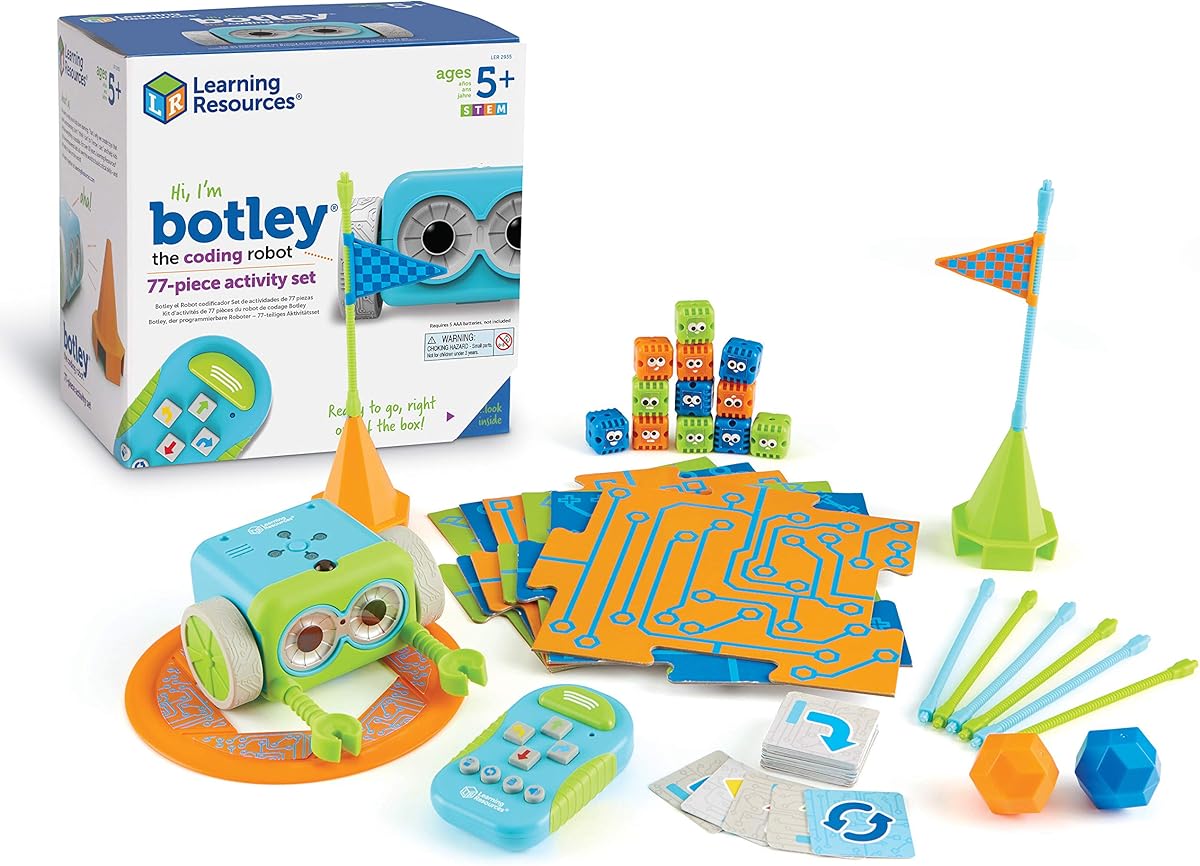
Botley offers a rich set of accessories and features that support endless creative challenges. It teaches logic through physical programming cards and remote commands.
We may earn a commission when you buy through this link, at no additional cost to you.
The robot can detect objects, avoiding them as it moves. This sensor adds depth to obstacle courses and navigation tasks.
Users must install batteries separately, which can delay play. However, the comprehensive kit provides high value for educators and families.
Best for ages five and up, this toy supports critical thinking and problem-solving. It is excellent for group activities and individual play.
Object detection teaches kids how robots perceive and react to their surroundings safely.
Looping commands introduce advanced programming concepts in a simple, tangible way.
We may earn a commission when you buy through this link, at no additional cost to you.
The Ozobot Evo kit is a robust educational tool designed for both classrooms and homes. It combines color code lines with digital apps for hybrid learning.
We may earn a commission when you buy through this link, at no additional cost to you.
With over 700 lessons, it covers STEAM and coding extensively. Color markers allow kids to draw paths that the robot follows.
The durable case protects accessories during transport. Some might find the price high, but the educational depth justifies the investment.
Best for ages five to eleven, this kit grows with students. It supports diverse learning styles and long-term engagement.
Drawing colors teaches sequencing without needing screens, bridging art and technology effectively.
Lessons align with educational standards, making it easy for teachers to integrate into class plans.
We may earn a commission when you buy through this link, at no additional cost to you.
Botley 2.0 refines the original with enhanced sensors and features. It keeps the screen-free approach while adding more interactive elements.
We may earn a commission when you buy through this link, at no additional cost to you.
Secret codes and sounds make play more engaging. Kids can build custom mazes and solve more complex logic puzzles.
It requires batteries for both robot and remote. While not new to the line, the updates provide better engagement for returning users.
Best for ages five and up, this version builds on a trusted foundation. It is great for advancing coding skills gradually.
Sounds and lights provide immediate feedback, keeping children engaged during problem-solving tasks.
Updated activity cards offer fresh puzzles that prevent boredom and encourage continued learning.
We may earn a commission when you buy through this link, at no additional cost to you.
Dash is designed for immediate use without setup. It connects to apps that allow for complex programming and fun interactive features.
We may earn a commission when you buy through this link, at no additional cost to you.
Voice commands and movement sensors make it feel alive. Kids can make it dance, sing, or navigate obstacles using simple codes.
It relies on a smartphone for programming, which might not suit screen-free homes. However, the ease of use is a major plus.
Best for ages six and up, this robot is popular in schools. It offers a seamless start to coding for beginners.
No assembly means kids start coding immediately, which builds excitement and reduces frustration.
Responding to voice and sound introduces multimodal interaction, making coding feel more natural.
We may earn a commission when you buy through this link, at no additional cost to you.
TaleBot Pro combines coding with storytelling to engage young children. It allows kids to record stories and guide the robot using physical commands.
We may earn a commission when you buy through this link, at no additional cost to you.
With an interactive map and support for 256 commands, kids can create complex narratives. It also supports Lego for building custom tracks.
The age range is limited to preschoolers. While versatile, some older kids may find it less challenging compared to advanced models.
Best for ages three to five, this toy develops language and logic skills. It is a unique choice for storytelling lovers.
Kids record voices to tell stories, blending narrative creativity with basic coding logic.
Support for multiple languages makes it accessible to diverse learners and helps language development.
We may earn a commission when you buy through this link, at no additional cost to you.
Choosing the right coding toy depends on age, interests, and desired learning outcomes. Consider these factors to find the perfect fit.
Select toys that match your child's developmental stage. Younger kids benefit from simple buttons and physical cards while older ones can handle screens and complex coding.
Always check the recommended age range to ensure safety and engagement.
Decide if you want your child to use a tablet. Screen-free options teach logic without device dependency while app-based robots offer more dynamic features.
Screen-free is great for focus; apps offer more content variety.
Some kits require hours of assembly which is educational but time-consuming. Others come pre-assembled for immediate play.
Choose based on whether you want a building challenge or instant fun.
Look for toys that teach sequencing, loops, and problem-solving. Advanced models introduce real programming languages or engineering concepts.
Deeper educational value means the toy grows with your child.
Consider if the toy allows adding parts or accessories. Kits with modular systems can extend life as skills improve.
Expandable toys offer better long-term value for growing kids.
Check if batteries are included. Many robots require AA or AAA batteries which adds to the initial cost.
Always factor in extra battery costs when budgeting for these toys.
Choose toys made from sturdy materials especially for classroom or shared use. Durability ensures the toy lasts through rough play.
Invest in high-quality materials for longer toy life.
Access to lessons, manuals, or apps enhances the experience. Look for brands that provide ongoing educational content.
Good support resources keep learning fresh and engaging.
Start with the basics by following the included manual. Many kits offer progressive challenges to help kids build confidence.
Keep batteries fresh to avoid corrosion. For rechargeable models, ensure proper charging to extend battery life and device performance.
Store small parts like cards or accessories in the provided case. Clean tracks or sensors gently to maintain accuracy over time.
Most coding toys suit ages four to twelve. Younger kids enjoy simple button-based robots while teens handle apps and text coding. Always check the packaging for specific age recommendations to ensure safety and learning fit.
Yes, screen-free toys teach logic and sequencing without device reliance. They help children focus on core concepts using physical cards and buttons. Many parents prefer these to reduce screen time while still fostering tech skills.
Most robots require batteries such as AA or AAA. Some have rechargeable units but you must check before purchase. Always include extra batteries in your budget to avoid setup delays.
Older children can use many toys independently once set up. Younger kids might need help with assembly or complex coding. It is a great way to encourage self-directed learning with minimal supervision.
Robot sets like Ozobot Evo and Botley are classroom favorites. They are durable and come with lesson plans for teachers. These kits support group activities and structured learning.
Coding toys build logic, sequencing, and problem-solving. These skills transfer to real-world tech careers. Early exposure makes complex concepts easier to grasp later in school.
This guide highlights top choices like the Robotic Pet for budget and Mech-5 for engineering. Each toy offers unique benefits tailored to different ages and interests.
Prioritize toys that match your child's skill level and learning style. Consider factors like screen dependency and expandability to ensure lasting engagement.
Remember to check current availability and prices before purchasing. Our selected options are reliable but stock changes often.