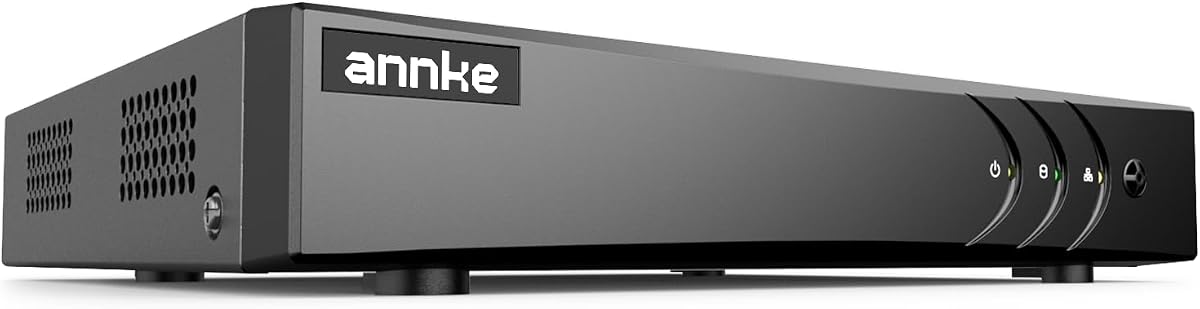
ANNKE 8 Channel 3K Lite H.265+ Security DVR Recorder, Hybrid 5-in-1, NO HDD
4.2Editor score
No Hard Drive Included
Max 10TB Storage Support
Remote Access on Any Device
This expert guide compares the top 8 Channel Dvrs for Security Cameras available in October 2026 to help you find the perfect surveillance system for your
Security surveillance systems rely heavily on digital video recorders to manage footage effectively. An 8 Channel DVR allows you to connect multiple cameras and store recordings locally. Choosing the right one ensures your property remains protected with clear video evidence when needed most.
We compared ten leading models based on compatibility, storage capacity, and smart features. Each product was evaluated for ease of setup, remote access capabilities, and video compression technology. Our list covers various budgets while maintaining high standards for reliability and performance.
Each pick highlights key strengths and potential limitations to guide your decision. We focus on real-world usability and technical specifications that matter for home or business security. Keep in mind that product availability and pricing can change over time on retailer sites.
4.2Editor score

4.2Editor score

4.3Editor score
This side-by-side comparison highlights the key specifications of all ten models reviewed. It helps you quickly identify which recorder matches your specific camera and storage needs without deep diving into every technical detail.


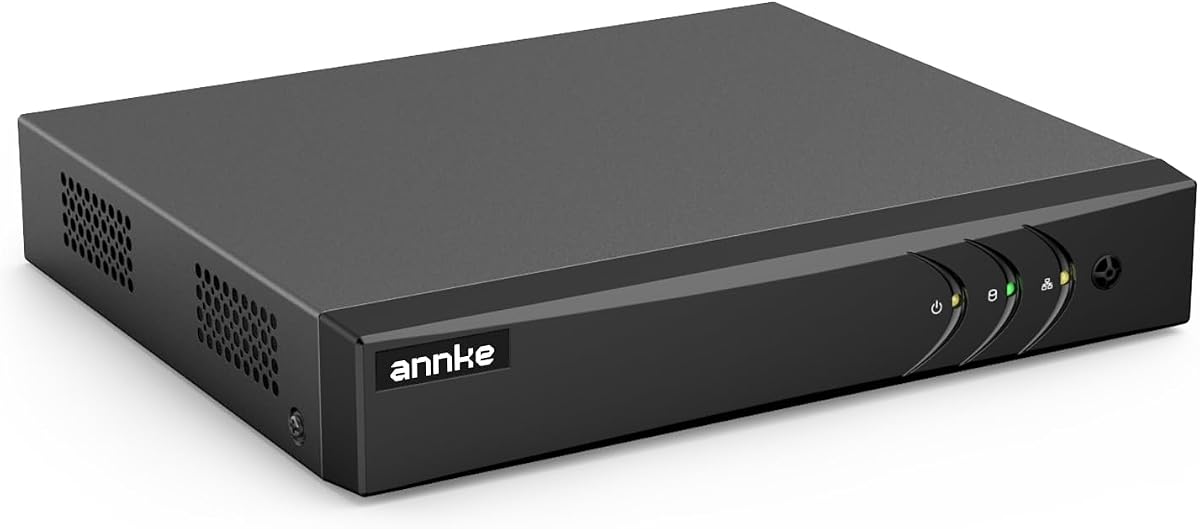
The ANNKE 8CH 3K Lite stands out as a top contender for modern surveillance needs. It combines flexibility with advanced compression to deliver reliable security. With a 1TB drive included, you can start recording immediately without extra hardware purchases.
We may earn a commission when you buy through this link, at no additional cost to you.
Its H.265+ coding significantly reduces file sizes while maintaining sharp video quality. This allows longer retention periods before overwriting older footage. The hybrid design supports up to eight analog cameras plus two IP cameras, offering versatile deployment options.
Smart human and vehicle detection filters out false alarms from pets or wind. This feature ensures you receive alerts only for meaningful events. The ANNKE Vision App provides secure remote access across various devices and browsers for convenience.
This model is ideal for homeowners who want reliable storage and smart alerts. It balances cost and performance well for most properties. Just ensure you pair it with compatible cameras for the best user experience and full feature access.
H.265+ coding extends recording duration by up to 80 percent compared to older standards. This maximizes your storage investment without compromising video clarity or real-time streaming quality.
AI-powered detection distinguishes between people, vehicles, and irrelevant movement. This reduces notification fatigue and helps you focus on actual security threats when they occur.
We may earn a commission when you buy through this link, at no additional cost to you.
The TIGERSECU Super HD DVR offers robust features for users needing extensive recording capabilities. It includes a 2TB hard drive pre-installed for immediate use. Its hybrid architecture supports a wide range of camera types including high-resolution options.
We may earn a commission when you buy through this link, at no additional cost to you.
Unique heat sink fan technology keeps the system quiet while preventing overheating. This is crucial for continuous operation in small enclosures or indoor settings. Four audio inputs allow you to capture sound alongside video for richer context.
You can access footage remotely without any monthly contracts through the TIGERSECU HD Viewer app. Adjust bitrate settings to match your network speed for smooth streaming. Motion detection options help conserve storage by recording only when activity occurs.
This recorder suits businesses or large homes requiring high-quality audio and video. It is built for demanding workloads and long-term reliability. Ensure your upload speed meets recommendations for optimal remote viewing performance.
With 2TB of pre-installed space, you can record continuously at 1080P for over ten days. This minimizes the frequency of overwrites and keeps critical evidence intact longer.
Four audio inputs enable sound recording on specific channels. This adds context to visual events and can be vital for dispute resolution or safety verification.
We may earn a commission when you buy through this link, at no additional cost to you.
For those prioritizing upfront savings, the ANNKE 8 Channel 3K Lite without HDD is a strong choice. It lacks a drive but supports up to 10TB for future expansion. You get the same compression and smart detection as models with included drives.
We may earn a commission when you buy through this link, at no additional cost to you.
Its hybrid design merges DVR, NVR, and HVR functions into one future-proof device. You can connect analog cameras and two IP cameras seamlessly. H.265+ coding ensures efficient storage use and fast streaming regardless of bandwidth.
Smart human and vehicle detection reduces false positives from environmental factors. This feature keeps alerts relevant and saves processing power. The ANNKE Vision App lets you monitor remotely with secure data transfer protocols.
Buy this if you already have a hard drive or want maximum flexibility. It avoids paying for storage you may not need immediately. Pair it with a compatible drive to unlock full recording potential.
By excluding the hard drive, the price drops significantly. This allows you to invest in higher quality cameras instead for better overall system performance.
Support for 10TB storage means you can upgrade later as needs grow. This scalability extends the lifespan of your recorder without replacing hardware.
We may earn a commission when you buy through this link, at no additional cost to you.
The ANNKE 3K Lite 8CH offers precise control over detection zones for targeted monitoring. This helps reduce false alarms by focusing only on high-risk areas. With a 1TB drive, it provides solid storage for typical home usage scenarios.
We may earn a commission when you buy through this link, at no additional cost to you.
Advanced H.265+ coding ensures smooth streaming and long recording duration. You can access the system via various browsers for flexibility. Alerts arrive instantly with snapshots when events happen in your defined zones.
Compatibility is key here as it works best with ANNKE cameras for optimal performance. Third-party options may not function correctly due to proprietary protocols. This limitation ensures stability but reduces hardware choice.
Select this if you need specific area monitoring like driveways or entryways. The customization features are valuable for privacy and alert relevance. Just verify your existing cameras are compatible before purchasing.
Define specific motion zones to ignore irrelevant activity like passing cars. This ensures you only get notified when someone enters your actual property boundaries.
Access your feed using standard browsers like Chrome or Edge on any computer. This eliminates the need for specific desktop software for basic monitoring tasks.
We may earn a commission when you buy through this link, at no additional cost to you.
The SANNCE 8-Channel DVR is designed for straightforward installation and use. It supports 1080P recording for crisp images of your property. With 1TB storage, it covers typical needs without complex configuration steps.
We may earn a commission when you buy through this link, at no additional cost to you.
Its 5-in-1 design allows connection of analog, AHD, TVI, and IP cameras. This flexibility lets you reuse existing hardware without replacing everything. Full HD HDMI output makes live viewing on a monitor simple and sharp.
Motion-activated email notifications keep you informed when activity occurs. The free app makes remote monitoring easy for most users. You can control playback and settings directly from your mobile device.
This is a great entry point for those needing reliable basic coverage. It balances functionality with affordability effectively. Ensure your cameras match supported types to avoid connection issues during setup.
1080P recording brings life to your security footage with clear details. You can identify faces and license plates more accurately than lower resolutions.
The app is designed to be user-friendly for non-technical users. Setting up remote access is intuitive and does not require advanced networking skills.
We may earn a commission when you buy through this link, at no additional cost to you.
The ANNKE 3K Lite with 2TB hard drive extends recording duration significantly. Security-grade HDDs handle continuous workloads better than standard drives. This reliability ensures your footage remains intact during long recording periods.
We may earn a commission when you buy through this link, at no additional cost to you.
Smart detection filters out bugs or leaves to focus on real threats. You can customize motion zones to reduce unnecessary alerts further. With 2TB space, you keep footage longer before overwriting occurs.
Remote access is seamless via the ANNKE Vision App on any device. You get email alerts with snapshots when events trigger. This ensures you stay connected even when away from the property.
Choose this model if you need extended storage without manual management. The larger drive capacity makes it ideal for busy properties. Stick to recommended cameras to avoid compatibility issues.
Security-grade hard drives are built for 24/7 recording stress. This reduces the risk of data loss due to hardware failure over time.
Define specific motion areas to ignore irrelevant movement. This reduces alert fatigue and saves storage space for important events.
We may earn a commission when you buy through this link, at no additional cost to you.
The ZOSI H.265+ DVR integrates well with ZOSI cameras for seamless setup. It offers AI-based human and vehicle detection to improve accuracy. The 1TB drive handles continuous recording for typical daily needs.
We may earn a commission when you buy through this link, at no additional cost to you.
Flexible recording modes let you choose between continuous or motion-based options. This optimizes storage usage based on your specific security needs. You can export files via USB for local backup and analysis.
Access is possible locally via monitor or remotely via ZOSI Smart App. Playback is quick with search by date and time. Compression reduces file sizes while maintaining clear image quality.
This unit fits users already invested in ZOSI camera systems. It balances AI features with standard utility well. Note that it does not support PoE or IP cameras if you need expansion.
AI detection distinguishes humans from animals to cut false alerts. This ensures you get relevant notifications without constant disturbance from pets.
Export files to a USB drive for permanent storage. This allows you to keep critical footage off the device for safety.
We may earn a commission when you buy through this link, at no additional cost to you.
The ZOSI 3K Lite allows family members to access the system remotely. Family sharing makes it easy for everyone to view live footage. It includes a 1TB drive for continuous recording of important events.
We may earn a commission when you buy through this link, at no additional cost to you.
AI detection identifies humans and vehicles when paired with ZOSI cameras. You can customize detection zones to reduce false alarms effectively. Flexible recording modes let you choose continuous or scheduled options.
Setup is simple with clear instructions for wired connections. You can monitor from anywhere via the ZOSI Smart App easily. H.265+ compression ensures long recording times without excessive space use.
Pick this if you need multi-user access for household safety. It is reliable for daily home security needs. Ensure cameras are ZOSI branded for full AI feature compatibility.
Family share allows multiple accounts to view the system. This ensures everyone stays informed without needing separate hardware accounts.
Customize areas to ignore noise like passing cars. This keeps your focus on actual security threats around your property.
We may earn a commission when you buy through this link, at no additional cost to you.
The ANNKE 8 Channel 3K Lite prioritizes data security and privacy. Every device passes strict testing to ensure safe video streams. The 1TB drive provides adequate space for daily monitoring tasks.
We may earn a commission when you buy through this link, at no additional cost to you.
Precise human and vehicle detection reduces unwanted alerts. H.265+ compression saves 80 percent storage space compared to older standards. You can access footage on any device with browser or app support.
The app conforms to GDPR ensuring secure data transfer. This is vital for protecting your privacy and video stream safety. Remote viewing is unrestricted allowing you to check footage anywhere.
Buy this if privacy and security are your top concerns. It offers a robust balance of features and protection. Stick to recommended cameras to ensure full system functionality and stability.
Security certifications ensure your video data remains safe from breaches. This is essential for maintaining privacy and trust in the system.
H.265+ coding maximizes storage without sacrificing quality. You get longer recording times for less bandwidth usage overall.
We may earn a commission when you buy through this link, at no additional cost to you.
The ANNKE 8 Channel DVR without HDD offers maximum flexibility for your setup. You control the storage capacity by choosing your own hard drive. AI motion detection ensures you get alerts only for relevant events.
We may earn a commission when you buy through this link, at no additional cost to you.
It supports 8 analog cameras plus 2 IP cameras for diverse coverage. H.265+ compression reduces storage needs significantly compared to older models. Easy remote access lets you monitor via app or browser instantly.
All-around certifications guarantee safety and data integrity during transfers. This model is ideal for those who want to customize their system. You avoid paying for storage you may not need immediately.
Choose this if you need a scalable solution for security. It offers strong features at a lower entry price. Just ensure you install a compatible drive to start recording.
You can add larger drives as needs grow without replacing the unit. This future-proofs your investment and extends the system's useful life.
Human and vehicle detection improves accuracy for real threats. This ensures you receive alerts only for people and cars on your property.
We may earn a commission when you buy through this link, at no additional cost to you.
Selecting the right DVR requires considering several technical and practical factors to ensure optimal performance and reliability for your security needs.
Most modern DVRs support multiple camera formats like analog, HD-TVI, AHD, CVI, and sometimes IP. Ensure the unit matches your existing cameras to avoid expensive replacements. Some brands restrict full features to their own hardware so verify this before buying.
Check the input types to confirm your camera signals match the ports. Compatibility is the first step to a working system.
Storage determines how long you keep footage before it overwrites. Higher resolution and more cameras require more space. Consider models with drives up to 10TB or more for long-term retention.
Choose a capacity that aligns with your daily storage needs. You can often add drives later if the model supports expansion.
Efficient compression like H.265+ reduces file size without losing quality. This allows longer recording periods on the same storage. Compare compression standards to ensure smooth streaming and less bandwidth use.
Look for H.265+ support to maximize storage efficiency. Older formats may consume unnecessary space for lower quality.
Smart detection like human or vehicle filtering reduces false alarms. This keeps alerts relevant and saves system resources. Basic motion detection triggers for any movement which may lead to fatigue.
Prioritize AI detection features for better accuracy. They ensure you only get notified for meaningful security events.
Remote viewing lets you check footage from anywhere via app. Ensure the unit supports mobile access on iOS or Android. Browser support is also helpful for desktop viewing without extra software.
Confirm the app is free and user-friendly. Paid subscriptions may add to your long-term costs unnecessarily.
Reliable hardware must handle 24/7 operation without overheating. Quality heat sinks or silent fans prevent system failure. Look for units with certifications like UL for safety.
A well-designed chassis protects the device from heat. This ensures longevity and stable performance in various environments.
Some systems allow audio recording alongside video for richer context. Check if inputs match your needs for sound capture. Not all models include mic inputs so verify specs.
Audio adds critical details to security events. If sound is important, choose a model with dedicated audio channels.
Prices vary widely based on features and included drives. Set a budget but prioritize core features like compression and compatibility. You may save money long-term with a higher efficiency model.
Balance upfront costs with expected storage savings. Sometimes paying more now avoids expensive upgrades later.
To set up your DVR connect all cameras to the designated inputs using BNC cables. Plug the unit into a monitor and power source using the provided adapter. Follow the on-screen setup to configure network access and user passwords.
Access the DVR remotely by installing the manufacturer app on your phone. Enter the device serial number or scan the QR code. Log in with the credentials you created during setup to view live or recorded feeds.
Regularly check the hard drive status to ensure it remains healthy. Update the firmware if available to fix bugs and improve performance. Clean the vents periodically with compressed air to prevent overheating and extend the device lifespan.
An 8 channel DVR typically supports up to eight cameras but some models allow additional IP channels. Always check the manual to see if hybrid support is available. You can usually mix analog and IP cameras within limits.
Internet is not required for local recording as the DVR stores footage on the hard drive. You only need a connection for remote viewing or app access. This ensures your system works even during internet outages.
Many models allow hard drive upgrades if they support external drives or open bays. Check the manual for max supported capacity before purchasing a larger drive. This lets you expand as your recording needs grow.
H.265 is a video coding standard that reduces file size significantly compared to H.264. This allows you to store more footage on the same drive. It maintains high quality while using less bandwidth and storage space.
Frequent alerts often come from sensitive settings or environmental noise. Adjust sensitivity to ignore minor movements like trees or pets. You can also set zones to ignore specific areas like streets.
Security depends on your network settings and app protocols. Choose devices with encryption like SSL or GDPR compliance. Keep firmware updated and use strong passwords to prevent unauthorized access to your data.
Yes you can view recorded footage via the mobile app or web browser. Just connect to the network and log in. This is useful if the monitor is removed or the DVR is mounted remotely.
Most 8 channel DVRs support analog cameras and not PoE. NVRs are better suited for PoE setups but check hybrid support. If you need PoE look for a dedicated NVR or check product specs carefully.
This guide reviewed ten top models that balance features with reliability. The ANNKE and TIGERSECU options lead in efficiency and storage. These units deliver solid performance for most home and business needs.
Prioritize compatibility and compression features when making your decision. A well-chosen system ensures you never lose critical footage. Consider future expansion needs to avoid replacing hardware sooner.
Always check current prices and availability before buying. Retailers may offer deals that make premium models more affordable. Regularly review your needs to keep your system effective over time.